Cancelling a printer ink subscription sounds like a modest housekeeping task: stop a monthly charge, then buy ink when you need it. In practice, it can be a change in how the printer is supplied, what cartridges remain usable and how quickly you need a replacement.
That does not mean every ink plan traps its customers, nor that a subscription is always poor value. For households that print regularly, want automatic deliveries and produce colour-heavy documents, paying by page can be easier to budget than buying cartridges individually. The difficulty comes when the plan no longer matches the way you print — or when cancellation is treated as a billing event rather than a transition to a different supply arrangement.
The most important limitation is also the one most likely to be missed: cancellation rules are not universal. They can vary by manufacturer, programme, country, printer model, account status and the cartridges installed in the machine. The research available for this guide does not include current official manufacturer terms, model manuals or market-specific price lists. It would therefore be misleading to state a universal rule about when cartridges stop working, whether they must be returned, or what a particular provider will charge at the end of a plan.
The useful approach is to establish those answers in your own account and your printer’s documentation before you cancel.
Cancellation changes the supply arrangement, not necessarily the printer
An ink subscription usually combines several things that are easy to blur together:
- a recurring payment;
- a page allowance or other usage limit;
- deliveries triggered by the provider’s estimate of ink need;
- cartridges supplied under the programme’s terms; and
- account-linked management of the printer or supplies.
Cancelling ends, or schedules the end of, that arrangement. It does not automatically answer the more practical questions: Can the cartridges currently installed still print? When should retail replacements be bought? Will unused pages, credits or promotional terms survive? Does the machine accept the cartridge type you intend to install next?
Start by identifying the exact programme rather than relying on the printer brand alone. A manufacturer may offer more than one enrolment route, and a printer sold in one country can be subject to different terms from an apparently identical model elsewhere. Record the printer’s full model number, not just its product family name. Then locate the cancellation screen, current terms and cartridge compatibility information associated with that model and market.
Commercial articles about ink plans can help identify questions worth asking, but they are not a substitute for those documents. For example, a Ferax article about cancelling HP Instant Ink discusses an end-of-billing-cycle outcome. Treat that as a prompt to inspect the terms shown in your own account, not proof that every programme — or every account — works that way.
The first date to establish is the effective cancellation date
Do not assume that pressing “cancel” ends service immediately. The date you submit a request and the date the plan actually ends can be different. That gap matters if you are close to a monthly allowance, expect a final shipment or still have programme-supplied cartridges in the printer.
Before confirming cancellation, look for four items in the account screen or confirmation email:
- The effective end date. This is the date that matters for service and cartridge eligibility, not merely the day you made the request.
- The final billing position. Check whether a final monthly payment, extra-page charge, tax adjustment or other balance is still due.
- The treatment of unused allowances. If the plan uses rollover pages, credits or promotional months, establish whether any remain available until the end date and whether they disappear afterwards.
- The status of the installed cartridges. Look for language specific to subscription cartridges, account-linked supplies, deactivation, returns or replacement requirements.
Save the confirmation page as a PDF or take a screenshot, then keep the cancellation email. This is unglamorous but useful if the account later displays a different date or a final charge is unclear. Also check the account again after the effective end date, rather than assuming the original request completed without issue.
If the service runs until the end of a paid period, cancelling early can still make sense: it gives you time to prepare without risking an unwanted renewal. But do not use the remaining period as a reason to postpone buying replacement ink until the printer refuses a job you need that day.
A final billing check is not the same as a value judgment
A final charge may be correct under the terms even if the plan has become a poor fit. Separately, a plan may have been good value during a high-printing period and become wasteful once a child leaves school, a home office closes or most documents move online.
Keep those questions apart. First make sure the account closes on the stated terms. Then decide whether your future print pattern suits a retail-cartridge approach, another plan or less printing altogether.
Subscription cartridges may not become ordinary cartridges when you leave
This is the ownership question at the centre of many cancellations. A cartridge provided through a subscription is not necessarily equivalent to a retail cartridge bought outright, even when it looks physically similar.
The outcome may depend on the provider’s programme terms and the printer model. Some plans may link cartridges to an active service account; others may have instructions about return, disposal or replacement. Without current official documentation for the particular plan, it is not responsible to promise that installed subscription cartridges will work until empty after cancellation — or to claim that they will cease functioning on a particular date.
A retailer’s article may describe reports of printers or features becoming unavailable after a subscription ends, but that is not enough to establish a technical rule across a brand or model range. The Castle Ink discussion of subscription-linked HP printers is useful as a warning that the distinction deserves scrutiny. It does not replace exact programme terms or model-specific support material.
The practical rule is simple: treat subscription cartridges as programme supplies until your provider’s official information says otherwise. Do not plan a deadline-sensitive print job around the hope that a cartridge will continue working. Do not remove a functioning cartridge prematurely either, unless the provider’s instructions require it.
If the programme gives disposal or return instructions, follow those rather than placing cartridges in household waste. If it does not, check the manufacturer’s local recycling guidance. Cartridge recycling arrangements can be country-specific, and a retailer’s collection scheme may accept some products but not others.
Plan the replacement before the last eligible page
The smoothest cancellation is one in which you already know what will be installed next. That means checking more than the printer’s series name on a marketplace listing.
Find the official manual or manufacturer support page for your exact model and confirm:
- the retail cartridge numbers it accepts;
- whether standard and high-yield versions are available;
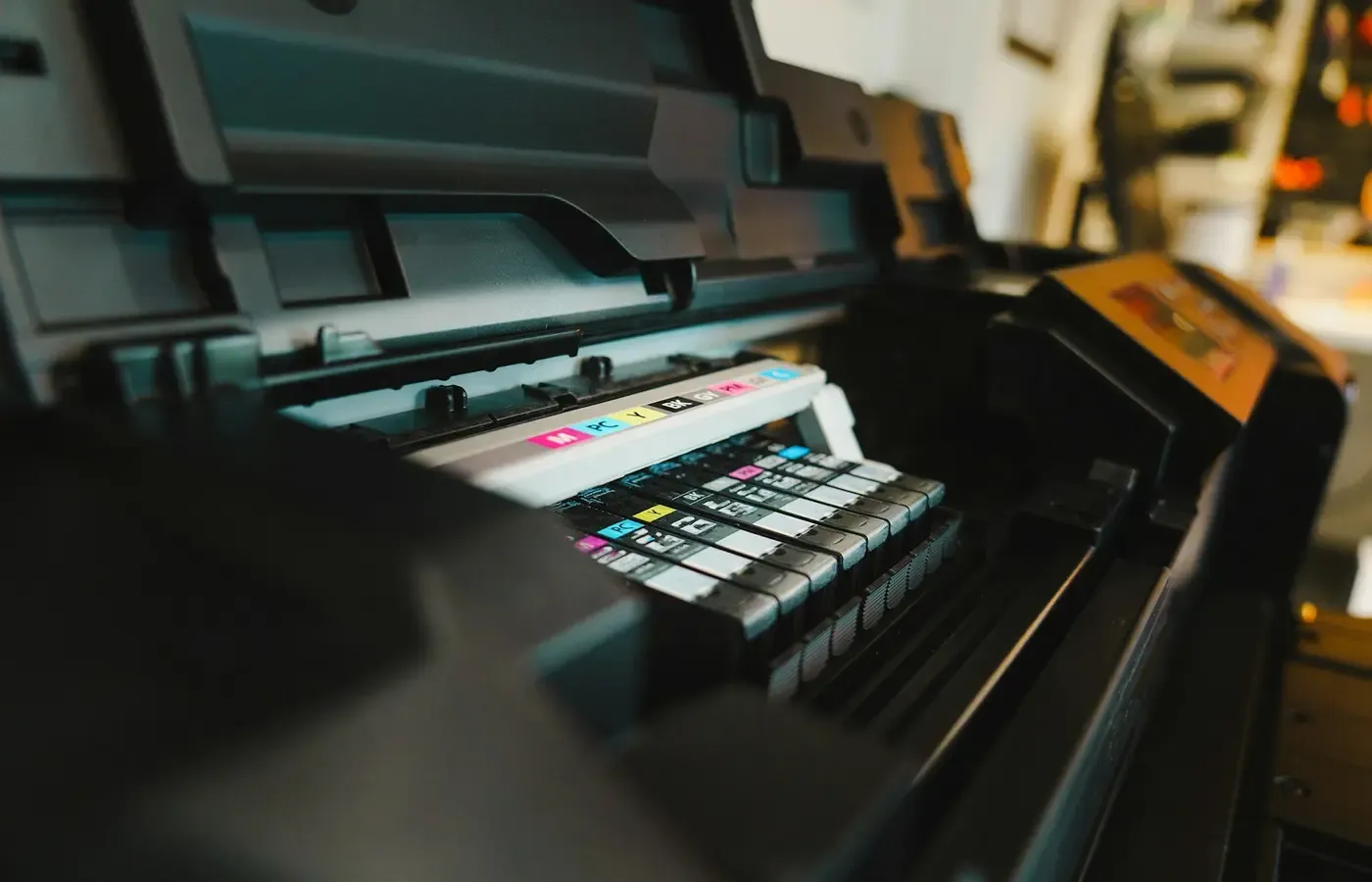
- whether black and colour cartridges are separate or combined;
- whether the printer needs both cartridges present to print particular jobs; and
- whether the manufacturer documents cartridge authentication, dynamic security or firmware-related restrictions.
Those checks matter whether you choose original manufacturer cartridges or another option. A compatible cartridge seller may say that a printer will “typically” accept third-party cartridges after a subscription is cancelled, as True Image Technologies does in this article. That is not sufficient evidence for your machine. Cartridge compatibility can depend on the exact model, regional version, firmware and the cartridge’s chip or design.
If you are considering non-original cartridges, assess that as a separate choice from cancellation. Check the printer documentation, understand the seller’s return policy and keep the removed cartridge until you know the replacement works. Do not update firmware or buy several cartridges at once merely because a listing makes a broad compatibility claim.
Leave a small buffer
Buy the replacement before the cancellation takes effect if printing is important for work, school, travel or official paperwork. This is not an instruction to stockpile ink. It is a way to avoid being forced into the first expensive local option when a subscription cartridge reaches its programme limit or the plan ends.
For occasional printers, a buffer can be one compatible retail cartridge set rather than multiple spares. Ink and printer heads can still create maintenance concerns when a machine sits unused, so buying years of supplies in anticipation is rarely a tidy solution.
Compare the plan with your own print pattern
The meaningful comparison is not “subscription versus cartridges” in the abstract. It is the cost and inconvenience of meeting your likely printing needs over a defined period.
A subscription can be attractive when your page count is reasonably predictable, you print enough that delivery saves real time, and the plan’s allowance suits the documents you produce. It can be less attractive when you print sporadically, repeatedly pay for unused capacity or need a plan with a larger allowance only during short bursts of activity.
Retail cartridges can provide more control over timing and supplier choice. But that does not automatically make them cheaper. Cartridge yields are standardised estimates made under specific test conditions, not guarantees for your mix of photographs, dense graphics, labels, school projects or cleaning cycles.
Use a simple worksheet instead of a generic cost-per-page claim:
| Question | What to record |
|---|---|
| How much do you print? | A rough count of pages over the last three to six months, including colour-heavy jobs. |
| What does the plan cost? | Monthly charge, page allowance, rollover rules and any excess-page charges shown for your market. |
| What do retail supplies cost? | Current price and stated yield for the exact cartridge set your printer accepts. |
| What is convenience worth? | Delivery reliability, local availability, storage space and the cost of running out at a bad time. |
| What can go wrong? | Infrequent-use maintenance, expired promotions, compatibility limits and a printer that is expensive to keep supplied. |
Do not turn this into a false precision exercise. If your printing varies wildly from month to month, calculate a low-use and high-use scenario rather than trusting a single average. If you mainly print text but occasionally produce large colour documents, note those separately. The right question is often whether the plan prevents costly surprises, not whether it wins every month by a few cents.
And consider the option that ink marketing rarely foregrounds: print less. Digital signatures, saved PDFs, library printing, workplace facilities or a basic monochrome device may fit some households better than maintaining a colour inkjet subscription or a drawer full of cartridges.
A cancellation checklist that preserves your options
Use this sequence before ending a plan:
- Identify the programme, market and exact printer model. Do not rely on general brand advice.
- Read the current cancellation screen and terms in your account. Record the effective end date and final billing information.
- Save the confirmation. Keep a screenshot or PDF with the date, account reference and stated outcome.
- Check the status of installed subscription cartridges. Follow the provider’s explicit instructions on use, return, recycling or replacement.
- Confirm your next cartridge choice from official model documentation. Check the cartridge number, not just the printer family.
- Buy replacement supplies before they are urgent. A single sensible buffer is usually more useful than a stockpile.
- Review the final statement after the plan ends. Query discrepancies promptly through the provider’s official support route.
- Reassess the printer itself. If supplies, maintenance and occasional use have become a recurring nuisance, keeping the current machine may not be the cheapest or easiest option.
Questions to answer before you click cancel
Can I keep using subscription ink cartridges after I cancel?
Possibly, but do not assume it. The answer depends on the provider’s current terms, your account and the cartridges supplied under that programme. Check the official cancellation information for your specific plan and save it before acting.
When does a printer ink subscription cancellation take effect?
It may take effect immediately or at a later date, such as the end of a billing period, depending on the programme. The date shown in your cancellation confirmation is more reliable than a general online explanation.
Do I need to buy new cartridges before cancelling an ink plan?
If you need reliable printing soon after the plan ends, having compatible replacement cartridges ready is prudent. Confirm the exact cartridge numbers and any relevant printer restrictions first.
Can I use non-subscription cartridges after I cancel?
That depends on the printer model, region, firmware and the cartridges involved. A third-party seller’s general assurance is not enough; consult the manufacturer’s documentation and assess compatible cartridges as a separate purchase decision.
The bounded judgment
Cancelling an ink subscription is reasonable when the plan no longer suits your printing, budget or preference for control. But it should be treated as a supply transition, not merely the removal of a recurring charge.
The best time to solve the cartridge question is while your account is still active and your printer can still produce a confirmation page, return label or test print. Establish the end date, verify what happens to the installed supplies, identify the correct replacement and review the final bill. Then you can leave a plan because it no longer serves you — rather than because you have been forced into a rushed and uncertain switch.
Sources & methodology
This guide uses the supplied web material to identify consumer questions, not to establish universal manufacturer policy. The available research package did not include current official programme terms, cancellation instructions, printer manuals, cartridge compatibility lists or price schedules. Accordingly, the article makes no cross-manufacturer claim about cartridge deactivation, return obligations, third-party cartridge compatibility or comparative savings.
- Ferax: What Happens When You Cancel HP Instant Ink? — commercial secondary material used only to identify cancellation-date questions.
- Castle Ink: Your HP Printer Might Require a Subscription to Work — retailer material used only to identify potential account and cartridge-access concerns.
- True Image Technologies: Subscription Ink Cartridges vs Buying One-Time — seller material used only to identify compatibility questions; it does not establish that a third-party cartridge will work in a particular printer.
Before relying on any programme-specific outcome, consult the current official documents presented by the subscription provider for your country and printer model.