A washing machine is among the least forgiving places to discover that a household appliance depends on a phone, password or internet connection. Laundry still needs doing when a router is being replaced, a phone is lost, an app is updated, or an account cannot be accessed.
That does not make connectivity inherently foolish. A notification that a wash has finished can be genuinely useful; remote monitoring may suit a busy household; and an app can make an unusually specialised programme easier to find. The problem is not that a washing machine has an app. It is whether the app has become the only practical route to functions you reasonably expected to use from the appliance.
The useful buying question, then, is not simply whether a washer is “smart”. It is: which tasks can you complete from the machine itself, and which depend on Wi-Fi, a mobile app, an account and the manufacturer’s connected service?
The available manufacturer guidance establishes that these boundaries are real, but it does not support a universal answer for every smart washer. AEG and Electrolux both say that connecting compatible machines to their apps requires network details, an app and an account; both also describe extra or additional programmes as a benefit of connection. Neither general connection page, however, establishes exactly what remains available after an outage, an account problem or a service change for every model. That distinction matters.
Treat the control panel and the connected service as separate products
A connected washing machine is best understood as two overlapping systems.
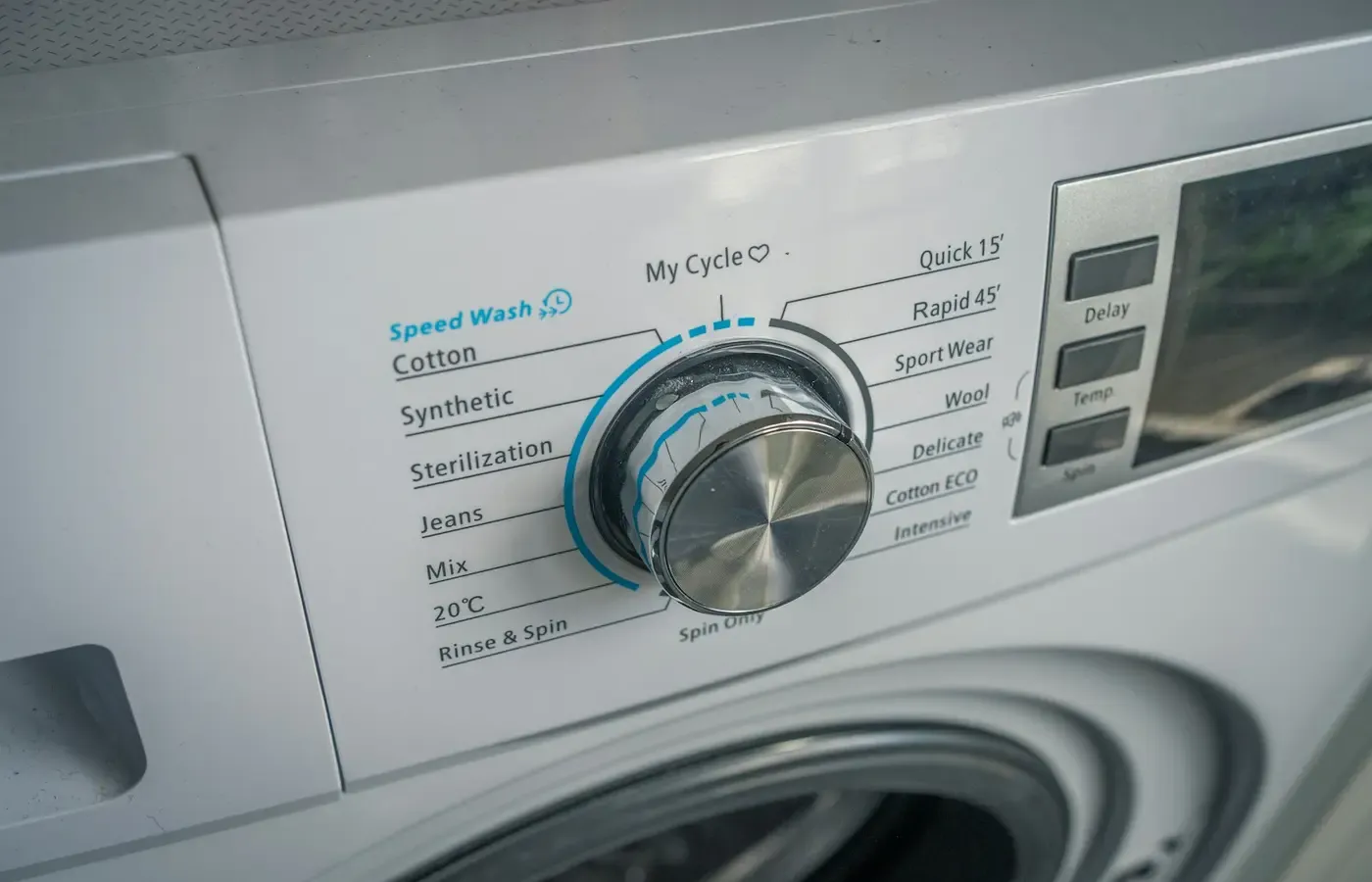
The first is the appliance in your utility room: its programme selector, display, buttons, detergent drawer, drum, filters and maintenance instructions. The second is the connected layer: the Wi-Fi setup, phone app, account and any online service that links them.
The physical machine may be perfectly capable of washing laundry while the connected layer is unavailable. But that is not something to assume from the word “Wi-Fi” on a product listing. The answer depends on the exact model, market and software design.
A practical way to inspect a machine is to sort its functions into three groups.
| Function group | Typical route | What to establish before buying |
|---|---|---|
| Appliance controls | Dial, buttons and display on the washer | Which programmes, temperatures, spin settings, delay options and maintenance functions are visible and selectable locally? |
| Local connection features | Appliance linked to a home network | Does a feature need the machine to be online, or merely paired during setup? |
| Account or cloud features | Manufacturer app and logged-in account | Are remote control, notifications, programme recommendations, downloads or diagnostics available only through the app? What happens if the account cannot be used? |
This is a framework, not a claim that every model places the same features in the same category. Some machines have a broad, legible set of cycles on the fascia. Others present fewer visible choices and direct owners towards an app for further options. The manual—not a retailer’s feature list—is the document that should settle the question for a particular model.
That manual is also worth saving locally after purchase. A PDF kept with your appliance paperwork remains useful if a support page moves or an app’s help section is unavailable.
What a lost connection is likely to take away first
The first losses are usually the conveniences that made connection attractive in the first place: checking a cycle’s progress away from the machine, receiving an alert when it ends, or issuing a command through a phone.
AEG’s UK support guidance says its My AEG Care app can be used to control and monitor compatible machines once connected, and lists access to extra programmes among the benefits. Its setup process requires the Wi-Fi network name and password, installation of the app, and creation of or login to an account. It also specifies support for 2.4 GHz Wi-Fi networks. AEG’s connection guidance is useful here because it describes the chain of dependencies rather than presenting remote control as a property of the machine alone.
Electrolux describes a similar arrangement for compatible washing machines and washer-dryers. Its UK support page says connection requires a wireless home network with an internet connection, Wi-Fi credentials, the Electrolux app and an account; it describes the app as a way to monitor and control the appliance and access additional programmes. Electrolux’s connection instructions likewise specify 2.4 GHz Wi-Fi support.
The immediate practical implication is straightforward: if any required link fails—the home internet connection, Wi-Fi network, app login or the service behind it—you should expect the app-based monitoring and control route to be unavailable. That is different from saying the appliance itself cannot wash. The supplied general guidance does not establish that broader conclusion for all models.
Nor should buyers leap from “the machine has a physical control panel” to “every normal cycle works offline”. A panel may offer a full selection, a limited selection, or a set of controls that works differently once connected features are introduced. Only model-specific documentation can answer that.
Remote start is not a replacement for a usable panel
Remote start is often presented as the headline smart-appliance benefit, but its value is narrower than it first appears. A wash still has to be loaded; detergent must be added unless the machine has a separate dosing system; and the machine must be in an appropriate state to begin.
The relevant ownership question is not whether remote start sounds convenient. It is whether you would be inconvenienced if it vanished. For many households, a cycle selected at the machine is adequate. For someone managing laundry around irregular work hours or trying to move a load promptly to a dryer, an end-of-cycle alert may be more valuable than remote starting.
Those are different needs, and they point to different priorities. A buyer who mainly wants an alert should not accept a confusing control panel merely to obtain a feature they may use once a week.
Extra programmes deserve the closest reading
“Extra programmes” and “additional programmes” sound harmless, even generous. They may be useful. But they are also where a connected machine can shift from being a conventional appliance with optional phone controls to a product whose capability is partly mediated by software.
AEG says app connection can provide access to extra programmes. Electrolux says connection can provide access to additional programmes. Those are explicit manufacturer promises, but they leave several ownership questions unanswered at this general level:
- Is the programme already stored in the appliance and simply surfaced by the app?
- Is it downloaded to the washer?
- If downloaded, can it be selected from the panel afterwards?
- Does it remain available if the machine is disconnected from Wi-Fi?
- Is an active account required to start it, alter it or retrieve it again?
- Is it a cycle you will actually use, or a novelty that should not influence the purchase?
A product page may not answer these questions. Look for the exact manual, quick-start guide or support article for the model sold in your market. If the documentation does not make the answer clear, ask the manufacturer in writing before buying and retain the reply. A retailer can help identify the product, but it is not necessarily the authority on the behaviour of a particular app feature after disconnection.
This is not an argument against app-delivered cycle choices. A specialised programme can be useful for a genuine recurring task. It is an argument for judging the feature by its failure mode. If an app-only programme is the one you would use for most loads, its access conditions matter far more than if it is an occasional option for a niche fabric.
Do not confuse a feature catalogue with a daily workflow
The best test is mundane: imagine washing your most common load with no phone nearby and no working internet connection.
Can you identify the cycle? Can you change the settings you normally change? Can you see whether the programme has started and when it is likely to end? Can another adult in the household use the machine without your account credentials?
If the answer is yes, connected features are more likely to be a convenience layer. If the answer is no, the purchase involves a continuing dependency that deserves to be weighed alongside capacity, energy use, noise, installation and price.
An offline-ready check before you buy
The most useful pre-purchase work takes little time, but it needs to happen before installation makes returning a machine difficult.
Read the exact manual, not just the product page
Download the manual for the precise model number and market. Product families can include several variants with different controls, programmes and connectivity. Check what is selectable on the appliance itself, including the cycles you expect to use most often.
Look particularly for sections headed “programme”, “Wi-Fi”, “remote start”, “app”, “My programmes”, “download”, “connectivity” or “troubleshooting”. A manual that distinguishes app functions from appliance controls is more useful than a glossy feature comparison.
Inspect the panel as though the app did not exist
In a shop, or through clear official images, ask whether the interface makes sense on its own. You need not demand a large dial full of every conceivable fabric type. But a machine should make its essential everyday use understandable without requiring a phone tutorial.
If you are buying online, request the control-panel image and manual from the seller or manufacturer. Do not rely on a generic photo that may show another regional version.
Map the connection requirements to your household
Both AEG and Electrolux state that their compatible connected washers use 2.4 GHz Wi-Fi and require network credentials, an app and an account for setup. That does not make them unusually restrictive; it does mean that a buyer should check the practical fit.
Do you have a usable 2.4 GHz network where the washer will be installed? Who will retain the account login? What happens if the person who set it up moves out, changes phone number or loses access to the email address? Can the machine still perform the household’s core laundry routine without resolving those questions first?
These are small administrative details until they are not. They become more important in rented homes, shared households, second homes and situations where one person typically manages the technology for everyone else.
Ask about the task, not the label
A smart function earns its place when it solves a real task. A completion alert may help prevent damp laundry sitting in the drum. Monitoring may help someone coordinate a shared laundry room. An extra programme may matter for a recurring care need.
By contrast, a feature is less valuable if it duplicates a button you can easily reach, creates an account for a task that happens once, or adds uncertainty to a routine that should be simple.
There is no need to reject connectivity on principle. The better standard is proportionality: accept the dependency when the benefit is clear and the offline fallback is acceptable.
Existing owners can reduce dependence without replacing a machine
If you already own a connected washer, the sensible response is not necessarily to turn off every smart feature. First establish what you can do locally.
Run through the core laundry routine from the panel while the app is closed. Identify the cycle you use most, the settings you tend to alter, and the display information that tells you a wash is complete. Keep a note of any app-only programme you genuinely rely on.
Then save the manual and connection instructions somewhere accessible outside the app. Record the appliance model number, purchase paperwork and account recovery details in the household’s normal records. If a machine is working well and its local controls meet your needs, keeping it is usually a more useful outcome than replacing it solely to chase a newer connected feature set.
If you are choosing between a new smart model and a simpler alternative, a used or non-connected machine may be the better fit where local control, familiar servicing and a lower upfront commitment matter more than alerts. That choice has its own trade-offs: condition, warranty, installation and availability all need checking. But “less connected” is not automatically “less useful”.
Choose connection as a convenience layer
The evidence available from AEG and Electrolux is enough to establish a basic consumer fact: app-based monitoring, control and access to some additional programmes depend on a setup involving a network, app and account. It is not enough to claim that every smart washing machine loses—or retains—the same washing functions when it goes offline.
That uncertainty should shape the purchase decision. Prefer a machine whose ordinary laundry tasks, most-used programmes and basic status information are clear at the appliance. Treat remote access, notifications and extra programmes as benefits to evaluate separately, not as substitutes for an understandable washer.
The strongest smart washing machine is not the one with the longest feature list. It is the one that still fits into household life when the phone is charging in another room, the broadband is down, and there is a basket of washing to do.
Questions to settle before committing
Can I still wash clothes if my smart washing machine loses Wi-Fi?
Possibly, but do not assume it. The general AEG and Electrolux connection guidance confirms that app control and monitoring depend on connectivity, but it does not establish the offline behaviour of every model’s locally available programmes. Check the manual for the exact machine you own or plan to buy.
Do smart washing machines need an account to work?
For the connected functions described by AEG and Electrolux, account login is part of setup. Whether the underlying appliance can perform particular washing tasks without an account is model-specific and should be verified in its manual.
Are extra washing programmes stored on the machine or only in the app?
The supplied manufacturer guidance says connected users can access extra or additional programmes, but it does not explain their storage or offline availability for every model. Treat this as a question requiring a model-specific answer before you make it central to a purchase.
What should I check in a washing machine manual before buying a Wi-Fi model?
Check the locally selectable programmes, setting controls, delay-start method, Wi-Fi requirements, account requirements, remote-control conditions, app-only features and any instructions for downloaded or additional programmes. Save the manual before purchase as well as after installation.
Sources & methodology
This analysis uses the supplied manufacturer support documentation as evidence of connection prerequisites and advertised app functions. AEG’s UK connection guide and Electrolux’s UK connection guide state that compatible machines require app setup, account access and 2.4 GHz Wi-Fi; Electrolux also specifies an internet-connected wireless home network.
These are manufacturer statements about their own compatible products, not independent tests and not proof of long-term service continuity, privacy practice, reliability or the behaviour of all models during an outage. No model-specific manual was included in the research package. Accordingly, this article does not claim that any particular core cycle, remote-start condition or downloaded programme will work offline. Features, terminology and availability may vary by model and market.