A connected appliance does not necessarily die when its app or cloud service closes. More often, it loses capabilities in layers: the buttons still work, but remote control disappears; the machine still runs, but notifications stop; your recipes, routines or usage history may remain trapped behind an account you can no longer access.
That distinction matters because “smart appliance” describes a bundle of dependencies, not a single feature. Some functions live in the machine. Others live in a mobile app, a manufacturer’s servers, a subscription, a voice platform or an authentication system. The useful buying question is therefore not whether an appliance is smart. It is what remains usable when the company’s servers are unavailable—and how difficult it is to leave.
The examples below are deliberately narrow. The June Oven support documentation describes a specific product and a stated app discontinuation date of September 22, 2026. A report from Android Authority describes Belkin’s reported Wemo cloud shutdown, including a January 31, 2026 date. Neither case establishes what happens to every connected appliance.
The appliance is not the app
A conventional appliance usually presents a fairly simple ownership proposition: buy the hardware, connect it to power, learn its controls and maintain it. A connected model may add several more layers:
- hardware controls and local software;
- a phone app used for setup or everyday operation;
- cloud services that store accounts, routines or histories;
- an internet connection and home network;
- third-party platforms such as voice assistants or smart-home standards;
- subscriptions supplying recipes, identification or other content.
These layers can fail independently. A timer calculated inside a washing machine may continue to work without the internet. A schedule stored on the manufacturer’s server may not. A temperature warning sent through an app is different from a local safety shutoff. A recipe visible on the appliance’s screen may be different from one that requires a company account.
The June Oven documentation makes this split unusually explicit. It says the oven is expected to continue operating after the June app is discontinued, provided the latest update is installed. At the same time, it lists remote monitoring and control, live video through the app, app-only recipes, premium recipe subscriptions and app notifications among the features that may no longer be available. Functions accessible directly on the oven are expected to continue.
That is a graceful failure compared with a product whose basic operation requires remote authentication. But it is still a loss of value. The oven may remain an oven while no longer being the same connected product that persuaded someone to buy it.
A shutdown has several failure modes
“Cloud shutdown” can mean different things, and the difference is important when assessing an appliance.
The hardware keeps its core job
This is the least disruptive outcome. The machine still performs its primary physical task through local controls, but the app layer disappears. You may lose remote access, notifications, usage records or integrations while retaining the basic appliance.
That appears to be the stated outcome for the June Oven after the June app is discontinued. It is not evidence that the oven will remain fully supported, repairable or secure indefinitely. It establishes only the functions described in the company’s notice.
Convenience features disappear
A service can close while the hardware remains useful, but the routines that made it convenient may be gone. A connected cooker may still heat, yet lose app-based scheduling. A refrigerator may still cool, yet stop sending alerts. A machine may retain its cycle controls while losing a history that helped you track use or maintenance.
For some households, this is a tolerable downgrade. For others—particularly people who bought the appliance to monitor it remotely—the “optional” feature was the point of purchase.
Setup or authentication becomes a barrier
Some products need an account during setup, and some rely on a server to authenticate the account later. If the service closes, a reset device may not be able to rejoin the network. A previously configured appliance might continue to run, while a replacement phone, factory reset or change of household exposes the dependency.
The supplied evidence does not establish how common this outcome is. It is a question to investigate for the exact model, not a prediction to make about connected appliances generally.
A separate local or platform route survives
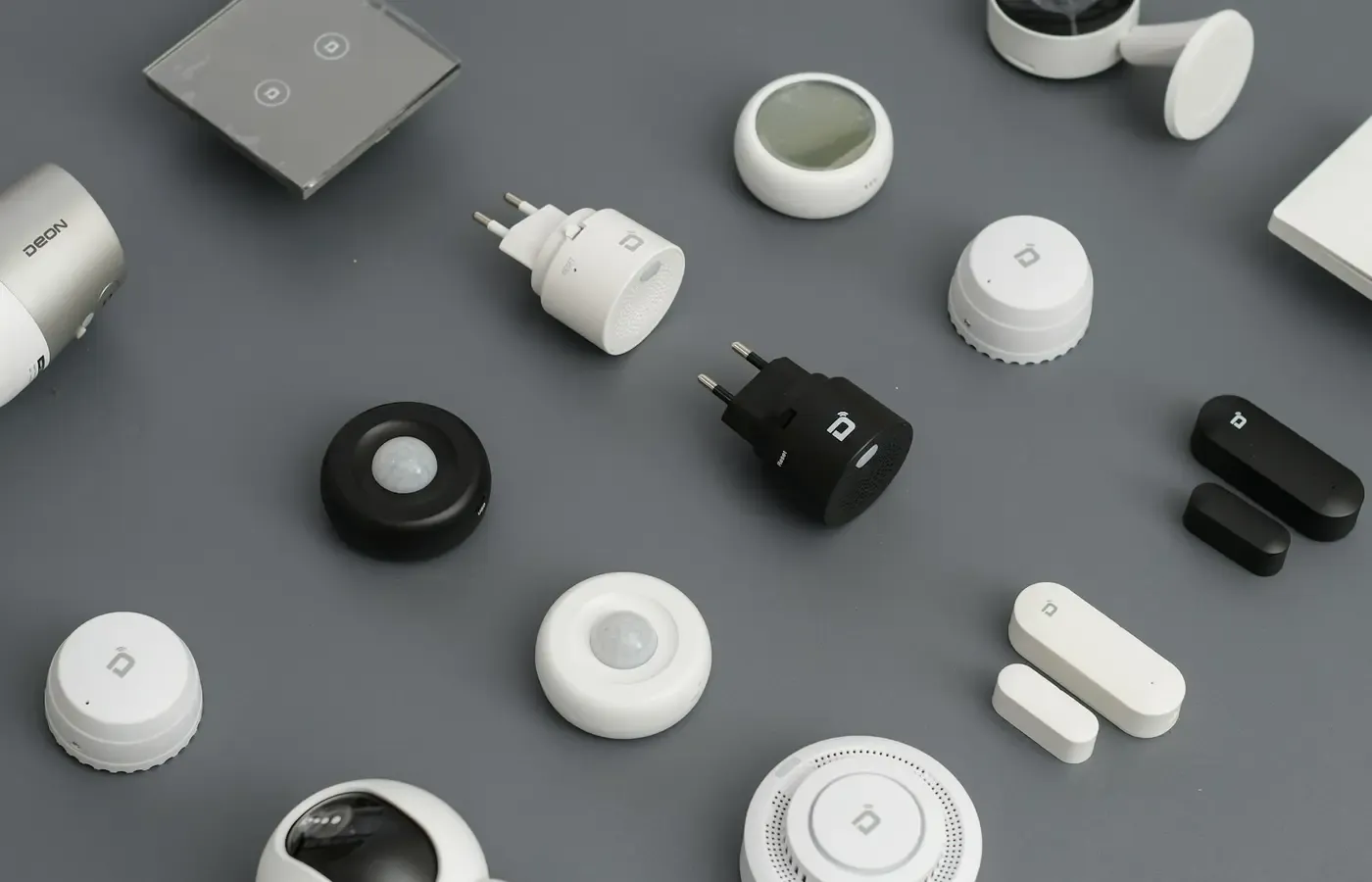
The Android Authority report on Wemo says devices with Apple HomeKit or Thread support may be treated differently from products dependent on Wemo’s cloud service. That is a useful prompt for buyers: an independent local or third-party pathway may reduce reliance on one company’s servers.
It is not a guarantee. The exact model, firmware, supported platform, network conditions and remaining account requirements all matter. “Works with HomeKit,” “supports Thread” or a similar label should not be treated as proof that every feature will survive a vendor shutdown.
What disappears besides remote control?
The obvious loss is the ability to operate an appliance from outside the home. The less obvious losses may be more troublesome over time.
Routines and notifications
Schedules, automations and alerts may be stored in the cloud rather than on the appliance. You may lose a notification that a cycle has finished, a door has been left open or a cooking program needs attention. A routine shared with a voice assistant or another smart-home platform may stop working even if the appliance itself remains operational.
Ask where the routine runs and where it is stored. “Can the app set a schedule?” is less useful than “Does the schedule continue if the app and internet connection are unavailable?”
Recipes, recognition and subscriptions
Connected appliances can make software content part of the ownership experience. The June documentation specifically identifies app-only recipes and premium recipe subscriptions as features that may disappear after the app is discontinued. Other products may use servers for barcode recognition, food identification or changing recipe libraries.
A content service is not the same as a physical component. If access is subscription-based, the cost is recurring. If it is tied to a company account, its lifespan depends on the company continuing to operate and support the service. Save anything you are entitled to retain, but do not assume that an app’s content can be exported unless the company documents an export method.
Histories and account data
Usage histories can be useful without being essential: energy records, completed cycles, maintenance reminders or cooking logs may help you understand how an appliance is used. But they are also data held by someone else.
The Sub-Zero, Wolf and Cove connected terms illustrate why closing an account is not always the same as stopping data transmission. Their terms state that data may continue to be transmitted from a connected appliance left on Wi-Fi after an account is closed, unless the appliance is disconnected from the network or removed from the account using the app. The same terms reserve rights to suspend or terminate access to the service.
That is a product-specific legal and technical statement, not a universal rule. Before buying, look for the privacy notice, account-deletion instructions, data-retention language and any export facility for the exact product and market. If the company does not explain these things clearly, assume that your control is limited rather than imagining a convenient export button.
Warranty, support and security are separate questions
An appliance continuing to turn on does not answer the ownership questions that follow a shutdown.
A warranty may cover manufacturing defects for a defined period, but that does not necessarily promise permanent app access, cloud storage or feature continuity. The WiZ product terms state that services depend on Wi-Fi, a mobile device, broadband access for certain products and third-party providers. They also describe an end-of-support policy that may interact with warranty terms. The effect depends on the product, market, purchase date and applicable law.
Similarly, the end of support is not proof that an appliance is automatically unsafe or compromised. A security judgment requires more: what software remains, whether updates are issued, what the device can access on the network, what vulnerability is known and what mitigation is available. The research available here cannot establish long-term security or reliability after support ends.
For buyers, the practical distinction is between:
- hardware warranty: what physical failures the company promises to address;
- software support: whether firmware and apps will be maintained;
- service availability: whether accounts, servers and subscriptions will continue;
- security practice: whether relevant updates and advisories are provided;
- consumer remedy: what refund, replacement or cancellation options exist.
These may end at different times. A company can stop a cloud service while the appliance remains outside warranty, or stop software support while the physical product continues to function. None of those outcomes automatically supplies a refund.
How to check graceful failure before you buy
Treat the manufacturer’s documentation as an ownership map. Check the exact model, version and market—not a retailer’s description of a similar product.
Ask five basic questions
- What is the appliance’s core job without the app? Can local controls start, stop and adjust it?
- Does first setup require an account or internet connection? What happens after a factory reset?
- Which functions run locally? Look specifically at schedules, cycle logic, cooking programs and safety-related functions.
- Which functions require company servers? Check remote control, notifications, histories, recipes, recognition, voice control and subscriptions.
- What is the exit path? Can you use the product offline, export data, cancel paid services, remove the appliance from the account and obtain support after the cloud closes?
Look in the manual, setup guide, support FAQ, privacy notice, terms of use, end-of-support policy and shutdown notices. If the answer appears only in marketing copy, treat it as incomplete.
A product that remains useful offline is not automatically the better choice. You may value remote monitoring enough to accept the dependency. The point is to price that dependency honestly: it requires a working network, a compatible phone, a functioning account and a company willing to maintain the service.
A useful decision rule is this: if the appliance’s main value disappears offline and the company provides no clear local-control, transition, refund or repair path, treat the service as a continuing dependency—not as a permanent feature of the hardware.
If the app is closing, preserve function and an exit
Existing owners should start with the manufacturer’s exact notice. Do not rely on a general shutdown article to determine what happens to your model.
Before the deadline, check whether the company requires a firmware update. The June Oven notice, for example, says the latest update must be installed for features accessible directly on the oven to continue after the app is discontinued. Save manuals, recipes or records that the company permits you to retain. Review subscriptions and cancel those that will no longer provide value.
Then decide what the appliance should be allowed to do on your network. If you want to stop connected data transmission, follow the documented removal process where available. The Sub-Zero, Wolf and Cove terms state that removing an appliance from an account or physically disconnecting it can affect transmission; the precise procedure will differ by product. Do not assume that deleting a phone app, deleting an account or turning off notifications has the same effect.
After the service closes, test the local controls and any functions you consider essential. If the remaining appliance still solves its physical job, keeping it may be the least wasteful option. If a paid core capability has been withdrawn, ask the manufacturer about a remedy, cancellation or replacement, while recognising that your legal rights depend on jurisdiction, purchase date and the sales terms.
The decision is about dependence, not novelty
A connected appliance can be worthwhile when its remote access, alerts or automation solve a real problem. It becomes a poor bargain when the cloud layer is treated as free, permanent infrastructure—even though the buyer has no control over its cost, support life or shutdown decision.
Before buying, separate the appliance you can touch from the service you are renting. Keep the product if its remaining local function still earns its space and maintenance. Seek a remedy if a paid capability central to the purchase is withdrawn. Disconnect or replace it if unsupported connectivity creates an unacceptable dependence. And if the exit cost is disproportionate to the convenience, choose the simpler appliance.
The most durable “smart” feature may be knowing exactly what will still work when the company stops answering.
Sources & methodology
This article uses manufacturer support and terms pages for stated product behaviour, service dependence and account handling. The Wemo example is attributed to Android Authority rather than a supplied Belkin primary notice. Ngadgets was used as general framing for the local-versus-cloud distinction, not as evidence of prevalence, reliability, safety or security. No independent testing was conducted, and the available material does not establish how often connected appliances remain functional after a shutdown or how secure they are after support ends. Warranty, refund and data-rights conclusions require checks for the relevant jurisdiction, model, version and purchase date.