A laptop with poor battery life is not necessarily a laptop at the end of its useful life. For many people, the processor, display, keyboard and software support remain adequate long after the battery begins to fade. But the apparent simplicity of the remedy — replace the battery — can be misleading.
A battery is not meaningfully replaceable merely because it exists as a separate component inside the computer. It must be possible to identify the correct part, obtain it from a viable source, reach it without unreasonable risk, follow a credible procedure and reassemble the machine successfully. If any link fails, the battery may be technically removable yet practically out of reach.
That distinction matters before you buy a replacement pack, pay for a repair, or decide a laptop needs replacing. The documentation examined here covers particular models and repair programmes, not every laptop from Lenovo, Dell, Apple or Microsoft. Still, it shows why the word “replaceable” needs more scrutiny than a glance at the bottom cover.
Replaceable is a chain, not a specification
Laptop makers increasingly publish some repair material, but the depth and practical usefulness of that material varies by model. A service manual may show battery removal. A repair programme may list parts. A guide may warn that only trained or suitably equipped people should continue. None of these facts alone answers the ownership question.
A battery is practically replaceable when all of the following are true:
- You can identify the laptop’s exact model, generation and, where relevant, regional variant.
- A manufacturer manual or other credible guide covers that specific machine.
- The replacement battery or required larger assembly can be identified accurately.
- A suitable part can be obtained through an available channel.
- The procedure is within your ability, tools and tolerance for risk — or a repair professional can do it.
- The computer can be reassembled without creating new faults.
- The likely result justifies the cost and interruption compared with keeping, servicing or replacing the laptop.
This is why a removable external battery was once such a strong consumer convenience: it collapsed most of the chain into one easy action. Modern internal batteries often require a more involved judgment.
Manufacturer documents illustrate the range. Lenovo’s ThinkPad X1 Carbon Gen 13 CRU guidance treats replaceable units at the model level and gives battery-specific cautions. Dell’s XPS 17 9720 service manual includes battery removal, installation and lithium-ion safety material. Apple’s MacBook Pro 14-inch (2023) repair manual provides model-specific repair views, tools and parts information. Microsoft offers repair documentation and service options for some Surface devices, including a detailed Surface Laptop 3 and 4 disassembly and reassembly guide.
The practical implication is not that one company is broadly better than another. It is that repairability must be checked at the model level, and sometimes at the configuration and market level.
Start with the exact model, not the product family
“Dell XPS,” “MacBook Pro” or “ThinkPad X1 Carbon” is not enough information to order a battery safely. A product family can span several generations, screen sizes, processors and internal layouts. Batteries that look similar may use different connectors, capacities, mounting systems or power-management arrangements.
Before doing anything else, record the model identifier from the computer’s system information, underside label, original invoice or manufacturer support page. Note the screen size and year or generation if you know it. Then find documentation for that exact machine.
Apple’s MacBook Pro 14-inch (2023) manual is a useful example of why specificity matters. It offers repair views and a list of orderable parts for that model, rather than making a generic claim about all MacBook Pro laptops. The listed repair subjects include a “Top Case with Battery and Keyboard.” That phrasing matters: the relevant repair route may involve an assembly containing several major components, not simply a standalone battery pack.
Dell’s XPS 17 9720 manual similarly distinguishes a specific model and contains dedicated sections for removing and installing its battery. It also includes precautions for rechargeable lithium-ion batteries and guidance on swollen batteries. Reading only the removal steps, without the safety sections, would be an incomplete assessment of the job.
Lenovo’s CRU guidance makes the same broader point in another way: designated customer-replaceable components and their instructions are tied to a particular ThinkPad model. A laptop brand’s reputation, good or bad, is not a substitute for the manual in front of you.
Read the procedure before ordering the part
Do not treat a replacement listing as proof that the repair is simple or even correct for your laptop. First read the procedure from beginning to end. Look for:
- prerequisite disassembly, such as removing the bottom cover, speakers, cooling parts or a motherboard shield;
- tool requirements, including unusual screwdrivers, plastic opening tools or replacement adhesive;
- cable-routing and connector instructions;
- requirements to disconnect or discharge the battery before work begins;
- warnings about screws of different lengths or fragile components;
- calibration, diagnostic or firmware checks after reassembly.
Microsoft explicitly tells technicians reading its Surface Laptop 3 and 4 guide to review the safety material in full and not to proceed if they are unsure or uncomfortable. The guide requires the device to be powered off completely and the battery fully discharged before repair. That is not bureaucratic padding; it is part of the work.
A listed battery is not always a separately purchasable battery
Parts access is the next link in the chain. The question is not simply, “Can I find something described as a battery online?” It is: “Can I identify a compatible part, through a trustworthy route, with enough confidence to install it?”
Some repair systems document individual batteries. Others document a larger assembly. Apple’s 2023 MacBook Pro manual, for example, lists a top case with battery and keyboard among its repair items. That does not establish the availability, price or terms of that assembly in every market. It does show why owners should determine the scope of the official repair before assuming they will swap one component.
A larger assembly can have advantages. It may reduce the need to separate adhesive-backed cells from a chassis, and it may replace a worn keyboard or trackpad surround at the same time. But it can also change the economics of the repair, add labour and create more components to transfer or test.
Lenovo advises users to use the Lenovo-authorized battery specified for the computer, noting that batteries supplied for a product have been tested for compatibility. This is not proof that no aftermarket battery can work. It is a clear reason not to treat an online listing, a familiar connector or a claimed capacity as enough evidence of compatibility.
Third-party parts can be attractive when official stock is unavailable or a repair is otherwise uneconomic. But this research does not establish current aftermarket quality, retail stock, regional availability or comparative prices. If considering a non-official part, treat the decision as a separate risk assessment: verify the exact model fit, seller return terms, stated warranty and whether a reputable repair shop will install it.
Service is an ownership option, not a failure of nerve
Do-it-yourself repair is only one route. Microsoft’s Surface service and repair information describes options for Surface for Business devices including Microsoft service, non-Microsoft authorized service providers and self-repair by skilled technicians using relevant guides.
The details and availability of those options can vary by product, market and customer type. But the important consumer lesson is durable: a laptop does not have to be easy to repair at a kitchen table to be worth keeping. A competent independent or authorized repairer may be the better route when battery access involves adhesive, tight internal packaging, unfamiliar tools or an expensive machine you rely on daily.
Ask a repair shop whether it will use an approved or customer-supplied part, whether its quote includes diagnostic work and reassembly, and what warranty it offers on the part and labour. Do not assume those answers are universal across shops or brands.
Opening the bottom cover is only the first step
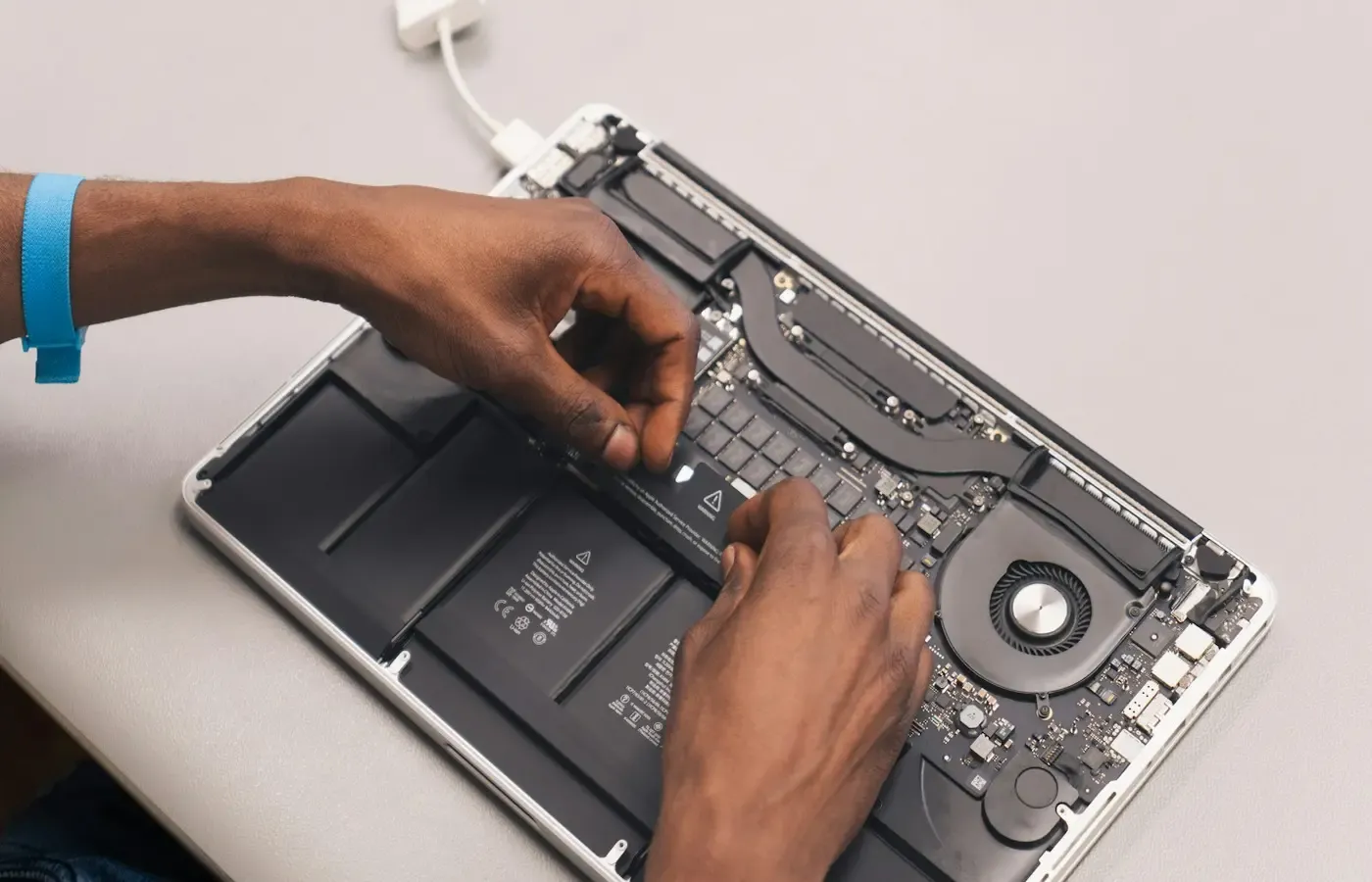
A machine can be easy to open and still difficult to repair safely. The true difficulty often appears after the cover comes off: battery connectors, adhesive strips, cable clearance, small screws and the order in which components must be removed.
Dell’s XPS 17 9720 manual places battery removal alongside installation, lithium-ion precautions and swollen-battery handling. That framing is useful. Battery work is not just a mechanical task; it involves a component that stores significant energy and can be hazardous if punctured, crushed, bent or improperly handled.
Independent guides can help readers understand this practical complexity. An iFixit guide for the 2025 MacBook Pro 14-inch (M5) says replacement battery adhesive is needed to complete the job and advises reducing battery charge below 25% before disassembly because a charged, damaged battery can catch fire.
That is useful repair guidance for that distinct 2025 model. It is not Apple’s official procedure, and it does not establish Apple part compatibility, warranty treatment or the difficulty of the 2023 MacBook Pro discussed above. Model boundaries matter, especially when photos or steps may differ between revisions.
Treat a swollen battery as a stop-work signal
If a laptop case is bulging, the trackpad or keyboard is lifting, the base no longer sits flat, or a battery is visibly swollen, do not press on it or attempt an improvised repair. Dell’s manual includes dedicated precautions for swollen rechargeable batteries, while Lenovo and Microsoft both emphasise the risks of mishandling batteries or using inappropriate tools and parts.
For most owners, swelling changes the decision from “Can I save money with a repair?” to “How can I get this assessed and handled safely?” Contact the manufacturer, an authorized provider or a qualified repair technician. Follow local disposal guidance rather than placing a damaged battery in ordinary household waste.
Warranty language needs careful reading
Battery replacement and warranty are often discussed as if there were one simple global rule. There is not, and this research does not support a universal claim that third-party repair either voids or preserves warranty coverage.
What the documentation does establish is more limited and more useful. Lenovo says a battery other than the specified type, or a disassembled or modified battery, may not be covered by warranty. Microsoft warns that repairs using incompatible, modified or nongenuine parts, or improper tools, can lead to injury, property damage or product damage.
Those are meaningful cautions. They are not a substitute for the written warranty terms applicable to your model, market and repair route. If warranty coverage matters, obtain the policy for your device and ask the provider how a particular repair would be treated before authorising it.
Even when a laptop is out of warranty, the same discipline applies. A cheap battery is not cheap if a wrong connector, damaged cable or failed reassembly turns a working laptop into a larger repair.
Make the repair-or-replace decision as an ownership check
Battery health alone should not decide a laptop’s fate. A battery repair can be sensible when the computer still meets your work, school or household needs, has adequate software support, and can be restored through a documented route. It may be less sensible when other expensive faults are emerging, the repair requires a costly larger assembly, or performance and support limitations are already forcing compromises.
Use this short check before committing.
| Question | A reassuring answer | A reason to pause |
|---|---|---|
| Is the model exact? | You have the full model and generation. | You are matching only by product family or appearance. |
| Is there a credible procedure? | The manufacturer or a reputable independent guide covers that model. | Instructions are incomplete, contradictory or for another revision. |
| Is the part understood? | You can identify an approved battery or documented assembly. | Listings make broad compatibility claims without a clear part match. |
| Is access manageable? | Tools, adhesive and disassembly steps are known. | The job involves unfamiliar battery handling or substantial teardown. |
| Is the battery undamaged? | There is no swelling, leakage or case distortion. | The battery is swollen, punctured or physically compromised. |
| Is there a service route? | A qualified provider can quote and stand behind the work. | No credible repair route is available. |
| Does the laptop still suit you? | Its performance, ports, display and support remain adequate. | You would need to replace it soon for unrelated reasons. |
The research package does not provide comparable repair quotes, battery prices, resale values, performance measurements or remaining software-support dates. There is therefore no honest universal price threshold at which every battery repair becomes worthwhile.
But the decision can still be clear. Keep the laptop if reduced runtime is manageable and you mostly use it near power. Choose professional service if the machine remains valuable but the procedure or safety risks exceed your confidence. Repair it yourself only when the documentation, parts, tools and your skills all line up. Replace the computer only after checking whether the battery is the actual limiting problem — not merely the most visible one.
A laptop battery becomes truly replaceable when the owner has a credible path through the whole chain: correct identity, obtainable part, documented access, safe work and a worthwhile result. That is a more demanding standard than “the battery is inside,” but it is the one that matters when a repair has to succeed.
Sources & methodology
This guide is based on model-specific manufacturer documentation and one attributed independent repair guide. It does not include first-hand testing, current parts pricing, repair quotations, stock checks or assessments of long-term battery reliability.
- Lenovo, Replace a CRU — ThinkPad X1 Carbon Gen 13
- Apple, MacBook Pro (14-inch, 2023) Repair Manual
- Dell, XPS 17 9720 Service Manual: Battery
- Microsoft, Surface Laptop 3 and 4 Component Disassembly and Reassembly
- Microsoft, Surface Service and Repair
- iFixit, MacBook Pro 14-inch 2025 (M5) Battery Replacement