A laptop can be thin, fast and agreeable on its first day yet become an awkward possession in its fourth year. The battery no longer carries you through the afternoon. Storage is tight. A damaged charging port turns out to be attached to the mainboard. The operating system still works, but security updates, drivers or essential applications are becoming uncertain.
Buying for longevity means investigating those future constraints before convenience turns into dependence. The decisive question is not simply whether a laptop can be opened. It is whether the exact model combines accessible wear parts, adequate capacity, useful ports, intelligible repair instructions, obtainable spares and a credible software future.
Repairability scores can identify promising candidates, but they cannot predict reliability, future parts supply or the cost of a repair in your market. This guide is therefore a verification method, not a ranking. It is based on published repair assessments and planning guidance available in a research snapshot dated September 6, 2026; it does not include first-party product testing or manufacturer support promises for individual models.
Start with the years and work you expect from it
“Long-lasting” is not a useful specification until you define what the laptop must keep doing.
Begin with an intended ownership period and a realistic workload. A machine for writing, browsing and video calls faces different pressures from one used for software development, large photo libraries or professional media work. Keeping a laptop operational is also different from keeping it adequate: a replaceable battery will not compensate for insufficient memory or a processor that was marginal at purchase.
Write down:
- the applications and peripherals you depend on;
- the memory and storage those tasks require now, with reasonable headroom;
- the ports you use every week;
- how often you work away from a charger;
- whether you will open the machine yourself or pay a technician;
- how much downtime a repair would cause;
- the operating systems your work can realistically use;
- your likely exit route: resale, hand-me-down use, trade-in or recycling.
This is not a prediction that a particular machine will survive for a set number of years. It is a way to expose conflicts early. If you need substantial memory later but the memory is fixed, you must buy enough at the start. If your work depends on removable storage and wired displays, a laptop without the appropriate ports transfers cost and clutter to adapters or a dock.
Retailer-produced guidance from Newegg similarly recommends checking battery access, service-manual availability, memory and storage before purchase. That is useful planning advice, not evidence that any laptop will reach a particular lifespan.
Investigate the exact model, not the badge
Brand reputation is too coarse for a repair decision. Two generations with nearly identical names may use different memory, fasteners, ports or internal layouts. Even configurations sold under one family name can differ.
Record the full model, generation and configuration before drawing conclusions. If a retailer does not identify these clearly, ask for the manufacturer’s model or machine-type number. Marketing names alone are often insufficient for finding the correct manual and parts.
Then perform a document search before purchasing:
- Find repair or service instructions for that exact generation.
- Confirm how the bottom cover is attached and which tools are required.
- Identify components held by ordinary screws, clips, adhesives or solder.
- Check whether frequently handled parts are separate modules or integrated into larger assemblies.
- Look for part numbers and current replacement listings in your country.
- Verify that the instructions match the configuration and market you intend to buy.
The iFixit laptop repairability index illustrates why this work is model-specific. Its assessments consider matters such as documentation, access, modularity, standard components and replacement procedures. Those underlying observations are more useful than a score in isolation.
A score is still only a snapshot of a particular design under a particular scorecard. It does not prove that the laptop is durable, that parts will remain available or that every repair is economical.
Inspect the battery, memory and storage first
These three components reveal much about the compromises built into a laptop. Treat replaceability and upgradeability as separate properties.
Battery
An internal battery may be replaceable without being quick, inexpensive or appropriate for an inexperienced owner to handle. Check the actual procedure. Does access require removing only the bottom cover, or must other assemblies come out first? Is the battery screwed in, or does adhesive complicate removal? Can it be disconnected without disturbing delicate cables?
Next, try to find the correct replacement battery using the model or part number. A photograph or generic claim of compatibility is weaker evidence than an identifiable part matched to the service documentation. Confirm availability in your market rather than assuming a listing elsewhere will ship to you.
Battery work also has safety implications. If the instructions require procedures beyond your experience, include professional labor in the ownership plan. “Replaceable” does not mean “risk-free.”
Memory
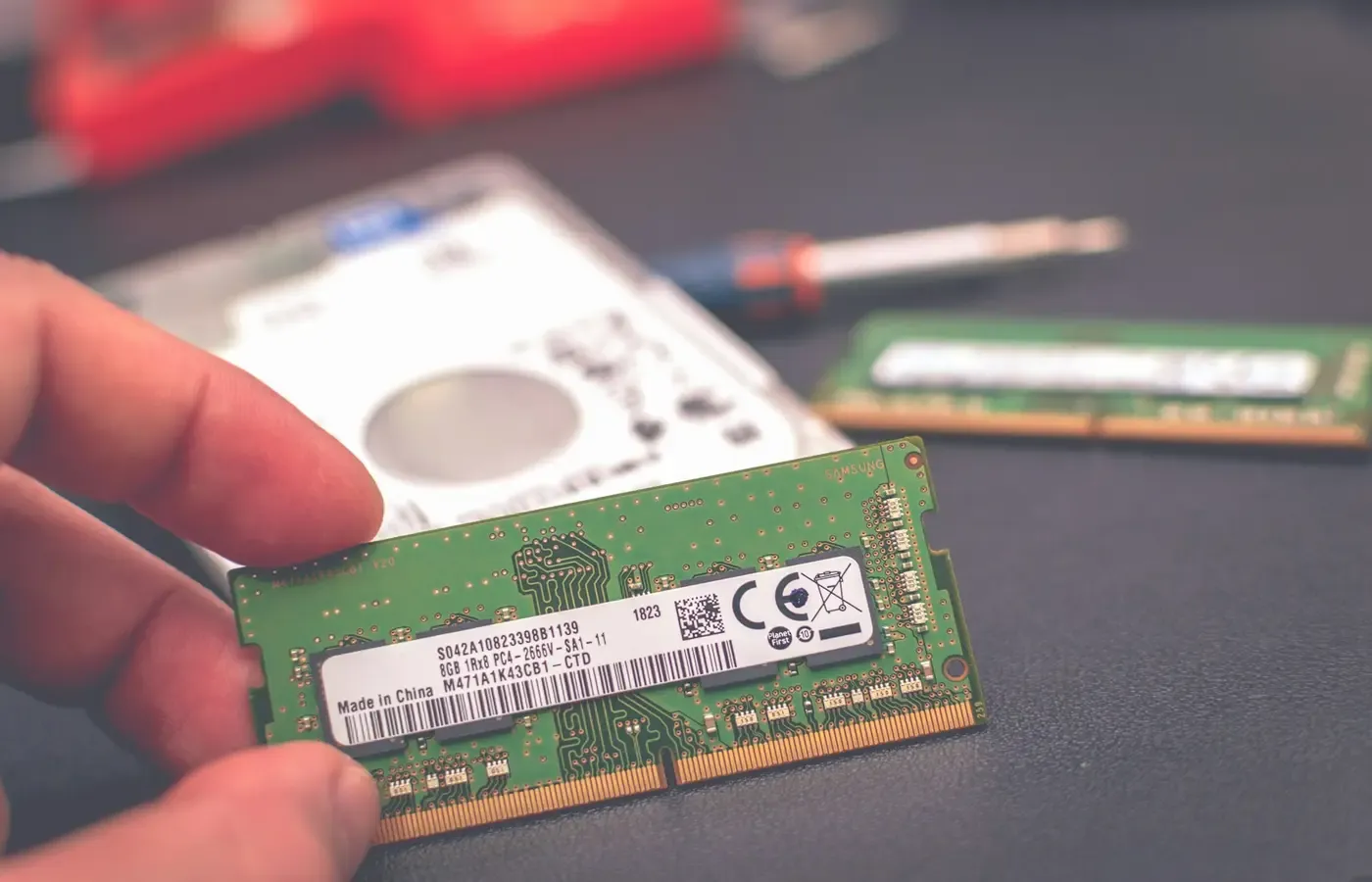
Determine whether the memory is socketed, fixed to the board or divided between the two. Then check the number of accessible slots, the memory type, supported capacities and the configuration you will receive.
Soldered memory is not automatically a reason to reject a laptop. It is a reason to make the capacity decision at purchase, when upgrades may be impossible. A fixed configuration can still suit a stable, modest workload if it has sufficient headroom. It is a poor match when your work is already pressing against the chosen capacity or is likely to become substantially heavier.
Do not rely on assumptions about an entire product family. Confirm the exact configuration in model-specific technical or service documentation.
Storage
Ask whether storage uses a documented, replaceable format and how it is accessed. Check the physical size, connector, number of slots and any stated capacity constraints. If the drive can be replaced, find out how you would transfer data and restore the operating system.
Replaceable storage offers both expansion and a route around drive failure, but replacement is not a backup strategy. Your files still need a separate, tested copy. If internal storage is fixed, external storage may extend usefulness for some tasks, though it adds equipment and may not solve every capacity or performance constraint.
The present research package contains no manufacturer manuals for named models, so it cannot support specific claims about memory layouts, storage formats or battery procedures. Those details must be verified for the machine under consideration.
Ports and input parts can matter more than an upgrade slot
Processor replacement is rarely the practical test of laptop longevity. The parts that interrupt daily work may be much less glamorous: a charging connector, keyboard, trackpad, fan, hinge or display.
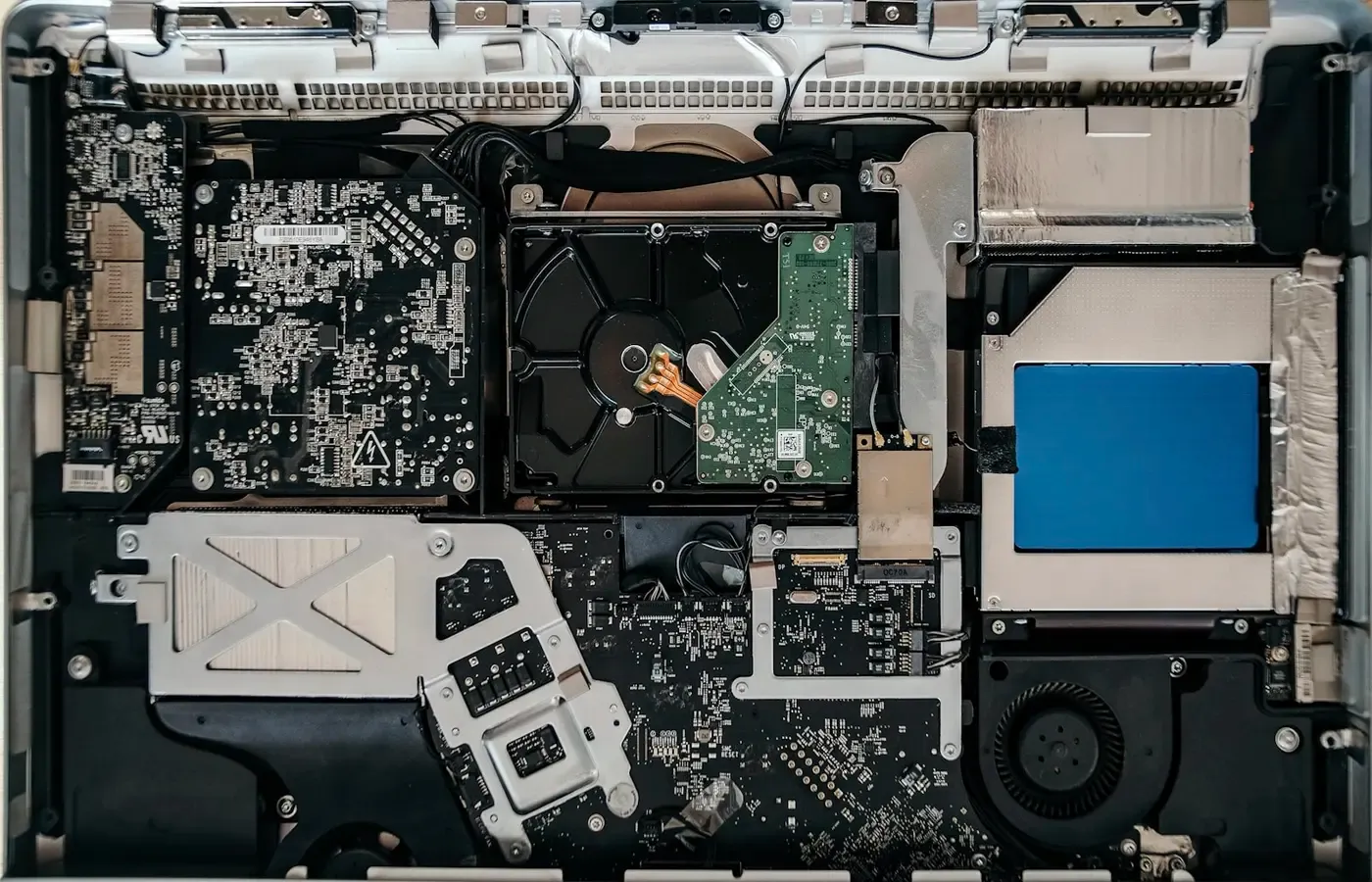
For each essential function, ask what must be replaced if it fails. A separate charging or input/output board can permit a focused repair. A port attached to a large board may turn a small physical fault into an extensive job. A replaceable keyboard can be valuable to a writer; accessible cooling components may matter to someone whose workload regularly keeps the machine busy.
Again, modularity on one model does not establish a brand-wide policy. Use the service procedure and parts diagram for the exact generation.
Count external workarounds honestly. A dock can make a sparse laptop pleasant at a desk, while adapters can preserve compatibility with displays, projectors, wired networks and removable media. They also cost money, occupy space and introduce more connectors and cables that can be forgotten or damaged.
List your essential ports and decide which must be built in. Occasional use may justify an adapter. A connection used several times each day probably deserves more weight in the laptop decision.
Documentation and spare parts determine whether repair is practical
A removable bottom panel proves very little by itself. Maintenance becomes practical only when you can identify the fault, understand the procedure and obtain the correct part.
Good pre-purchase evidence includes:
- public instructions for disassembly and reassembly;
- clear warnings and tool requirements;
- part names or numbers that can be matched to listings;
- replacement procedures for the battery, storage and high-wear components;
- currently available parts in the buyer’s region;
- a realistic route to professional repair when the job exceeds the owner’s skills.
Perform a simple exercise: without buying anything, try to locate one correct battery, one charger or charging module, and one high-wear input part such as a keyboard or trackpad. Record the seller, region, part number and whether the item is actually available rather than merely indexed.
This exercise does not guarantee future supply. A listing can disappear, and today’s inventory is not a duration promise. It does reveal whether the repair proposition is concrete now or rests on vague assurances.
If you expect to use a repair shop, ask one whether it can source components for the exact model. The ability to open a machine yourself is less important when you have a credible, affordable service route; conversely, an elegant internal design is of limited comfort if nobody can obtain its parts.
Check warranty terms separately. Do not assume that a physically possible repair is authorized under every warranty, insurance or service agreement in your jurisdiction.
Hardware longevity needs a software future
A repairable body can still become a poor long-term computer if its software path ends before your ownership plan does. Treat operating-system support as a separate gate, not a footnote to the hardware checklist.
For the exact model and operating system, verify:
- current compatibility and hardware requirements;
- the source and duration of security updates;
- availability of firmware, drivers and recovery tools;
- support for essential applications and peripherals;
- whether storage replacement affects recovery or activation;
- what happens if the original operating system is no longer suitable.
Use official compatibility and support documents where possible, and distinguish a present state from a promise about the future. A laptop being capable of running an operating system today does not by itself establish how long the manufacturer will provide model-specific firmware or drivers.
An alternative operating system may provide a useful exit for some owners, but it is not an effortless escape hatch. Application requirements, accessibility tools, printers, specialist peripherals and power management can all influence whether switching is realistic. Verify those dependencies before treating migration as part of the purchase case.
The supplied research does not include authoritative operating-system lifecycle, firmware or driver documentation. Accordingly, no support period or model-specific compatibility claim can be established here.
Use a repair-and-exit card before paying
Reduce the investigation to one page. If a seller’s deadline does not leave time to complete it, waiting is a legitimate choice.
| Decision item | What to record |
|---|---|
| Identity | Full model, generation, market and initial configuration |
| Work and horizon | Main tasks, intended ownership period and expected headroom |
| Battery | Access method, attachment, part number and current local availability |
| Memory | Installed capacity, fixed or socketed design, slots and documented limits |
| Storage | Format, access, slots, replacement and recovery procedure |
| Daily-use parts | Ports, charger, keyboard, trackpad, fan, hinges and display modularity |
| Repair route | Tools, instructions, skill level, professional service and downtime |
| Parts evidence | Current listings for three likely replacement items |
| Software | Security, firmware, driver, application and recovery evidence |
| Exit | Resale, transfer, alternative operating system, trade-in or responsible disposal |
Keep the details behind any repairability score. A strong overall result may conceal the one weakness that matters to your work, while a middling machine may be acceptable if its fixed components are correctly configured and its likely wear parts are accessible.
Also compare the purchase with less dramatic alternatives. More memory at initial configuration may be sensible when it cannot be added later. A well-documented used business laptop may fit the job, provided its battery condition, software eligibility and parts situation are verified. Repairing the laptop you already own, adding external storage or using a dock may postpone replacement without pretending those measures solve every limitation.
A credible long-term purchase is not necessarily the machine with the most removable pieces. It is the one whose known constraints match your work, skills and ownership horizon—and whose likely failures have a plausible remedy. If you cannot find the procedure, part or software evidence before buying, assume the uncertainty belongs to you rather than to the seller.
Frequently asked questions
Is soldered memory always a reason not to buy a laptop?
No. It removes a future upgrade and may make a board fault more consequential, but a sufficiently large initial capacity can still suit a stable workload. The decision depends on your applications, headroom and intended ownership period. Do not buy a marginal fixed-memory configuration on the hope that it can be changed later.
How can I verify that a laptop battery is genuinely replaceable?
Find the exact model’s service procedure, identify how the battery is attached and disconnected, and locate a matching part number. Then check whether that battery is currently sold in your region. This establishes present feasibility, not ease, safety, price or future availability.
Is a repairability score enough to choose between two laptops?
No. Use it to expose differences in access, documentation, modularity and parts, then inspect the underlying findings. A score does not measure long-term reliability, application suitability, software support or future repair cost.
What should I check before buying a repairable laptop used?
Confirm the precise generation and configuration rather than relying on the family name. Check battery condition, included charger, ports, keyboard, hinges, display, memory, storage, firmware and operating-system eligibility. Verify that repair documents and parts correspond to that generation, and plan to erase or replace storage securely as appropriate.
Sources & methodology
This guide is a pre-purchase framework based on published material, not hands-on testing, a reliability study or a numerical ownership-cost comparison.
- iFixit laptop repairability scores, an independent model-level reference covering criteria such as access, modularity, documentation and repair procedures. Scores are design snapshots and do not establish future parts supply or reliability.
- Newegg’s Laptop Upgrade Planning Guide 2026, used only as commercial context for pre-purchase checks involving batteries, service manuals, memory and storage.
The research package was generated on September 6, 2026. It contained no model-specific manufacturer service manuals, parts catalogs, warranty terms, regional prices, inventory histories or authoritative operating-system support documents. For that reason, this article does not recommend named models, estimate lifespan or claim that currently listed parts will remain available.