A laptop can remain quick enough for work, study and everyday browsing long after its battery has ceased to be convenient. That makes the battery more than a specification-sheet number. It is a likely future repair, and the route to that repair can materially change what a seemingly affordable laptop costs to own.
The complication is that “internal battery” does not mean one thing. Some batteries sit behind a removable base cover and are held in with ordinary screws. Others are buried beneath speakers, cooling hardware or the motherboard, attached with difficult adhesive, or available only through a manufacturer’s repair channel. A battery may be technically removable while still being an impractical do-it-yourself job.
Before treating thinness, a low purchase price or a claimed battery-life figure as value, ask a less glamorous question: if runtime becomes poor in a few years, who can replace this battery, with what part, and on what terms?
That question cannot guarantee a laptop’s long life. Memory, storage, display damage, charging faults, physical wear and future software support can all end a machine’s usefulness independently. But battery replacement is one of the few foreseeable maintenance questions a buyer can investigate before checkout.
A battery belongs in the useful-life calculation
A laptop battery is a component that experiences regular charge and discharge cycles. When its practical runtime no longer suits the way you work, an otherwise capable computer may become a desktop in disguise: useful at a fixed desk, less useful in a classroom, on a train or between meetings.
Replacing it can restore portability. It cannot cure every problem that may be blamed on a battery. Slow performance may come from insufficient memory, storage pressure, overheating, software or an ageing processor. Failure to charge may involve the charger, port, power circuitry or motherboard. A cracked screen, an unreliable keyboard or the end of operating-system support can change the economics too.
The sensible test is therefore not, “Can the battery come out?” It is, “Would a battery replacement plausibly preserve a laptop that still meets my needs?”
Commercial repair guides commonly describe replacement costs as varying by model, part source, labour and the complexity of opening the device. That is a reasonable starting proposition, but not a usable budget estimate. One published guide, for example, offers broad planning ranges while acknowledging those variables; it is not evidence of what your model, repairer or country will charge. Treat such figures as a prompt to obtain a written quote, not as a price promise. CheckBatteryHealth’s cost guide illustrates the limits of generic estimates.
The consequence for buyers is straightforward: a cheap laptop with an uncertain battery-service route may not be poor value, but its low initial price should not be mistaken for a low ownership cost.
Internal does not mean impossible to replace
There are useful distinctions between battery designs, and they are more revealing than the simple labels “removable” and “sealed.”
Externally removable batteries
Older and some specialist laptops use a battery pack that releases from the outside of the chassis, sometimes with a latch. This is the clearest replacement route: identify the compatible pack, remove the old one and install the new one without opening the case.
That simplicity is unusual in modern thin laptops. It also does not remove every risk. A buyer still needs the correct part number, a trustworthy source and an understanding of the warranty terms that apply in their market.
Internally mounted, screw-fixed batteries
Many current laptops require removal of the bottom cover before the battery is accessible. That can still be a good repair design when the manufacturer publishes a clear procedure, identifies the battery part, uses conventional fasteners and does not require extensive disassembly.
The practical difficulty depends on details that product pages rarely mention: the kind and number of screws, cable placement, whether the battery connector is accessible, whether other components must be removed first, and whether the repair instructions call for specialist tools or safety steps.
A screw-fixed internal battery may be a reasonable job for an experienced owner or independent repairer. It is not automatically a beginner’s task. Opening a laptop without the right procedure can damage clips, cables or components that were not the original problem.
Adhesive-heavy or deeply integrated batteries
The most inconvenient designs use strong adhesive or position the battery beneath several other assemblies. These machines may still be serviceable by an authorised technician or a competent independent repair shop, but the labour, risk and time involved can change the decision.
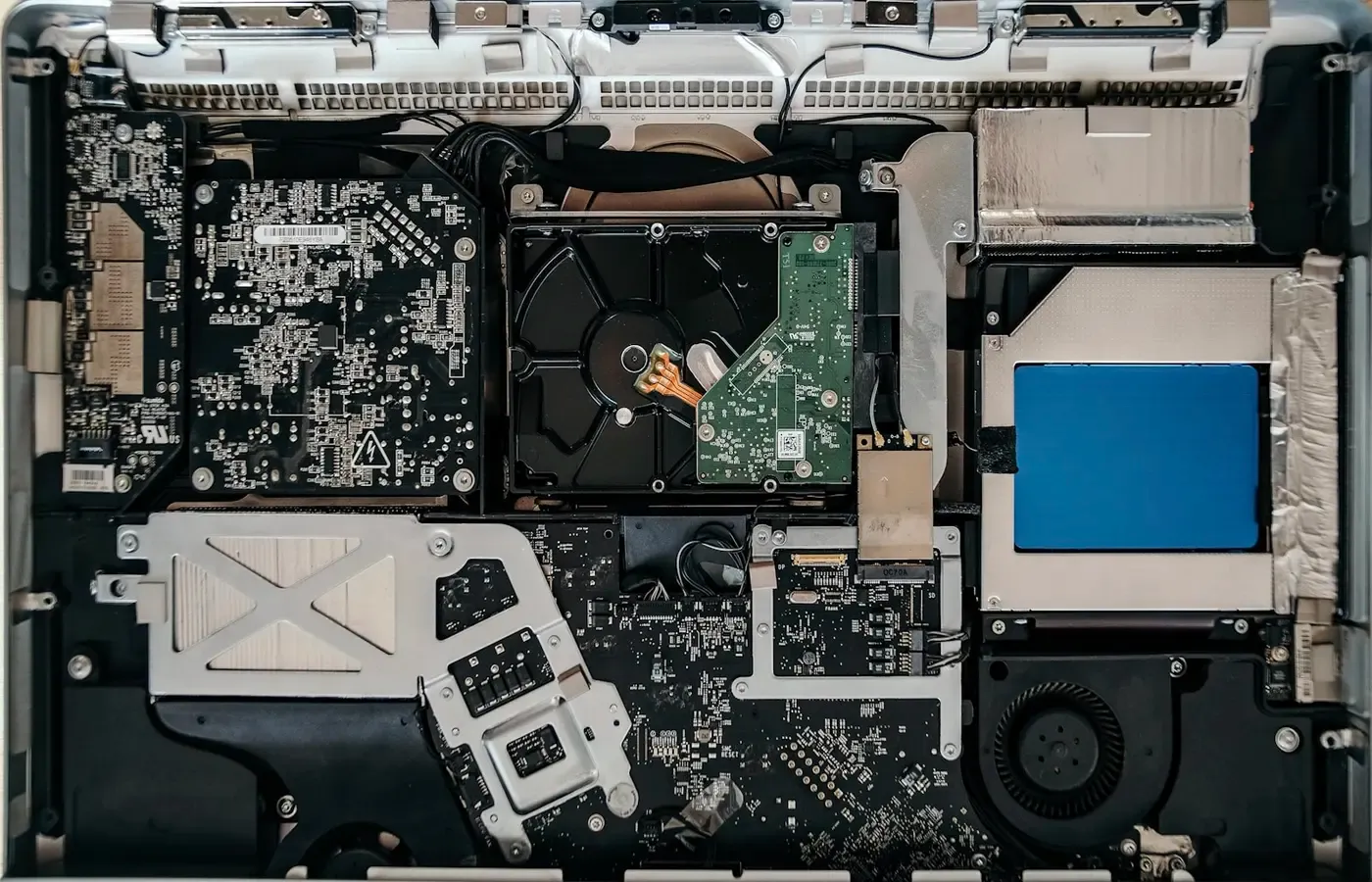
This is why photographs of an opened laptop are not enough. A battery that is visible in a teardown may still require a great deal of work to remove safely. Conversely, a laptop with no external battery compartment may have a clear, documented service route.
The decisive evidence is the repair procedure for the exact model, not the appearance of the case.
Do a five-minute check before checkout
You do not need to become a repair technician to make a more informed choice. You do need to avoid researching a product family when you are buying a particular configuration.
Use this checklist before placing an order.
-
Record the full model number. “14-inch laptop” or a retail series name is rarely precise enough. Retail configurations can differ by region, processor, display, battery capacity and chassis revision.
-
Find the manufacturer’s service manual or repair guide. Look for a document that names the model and shows battery removal, rather than a general support page or a video for a similar-looking machine.
-
Check the removal sequence. Note whether the guide requires only the base cover to be removed, whether it calls for adhesive release, and whether other components must be disconnected or removed first.
-
Find the battery part number. A useful manual, parts diagram or service listing should identify the relevant battery assembly. Save that information with your receipt.
-
Look for an official parts route. Check whether the manufacturer sells the part, lists it through an authorised provider, or offers a repair booking route. Absence from a public parts shop does not prove that a repair is unavailable, but it should prompt a question before purchase.
-
Ask for a repair quote if the model matters to you. An authorised service provider or reputable local repairer may be able to tell you whether it can obtain the battery and what labour is likely to involve. Ask them to quote against the full model number.
-
Save the relevant pages. Product listings, manuals and parts availability can change. Keep copies or screenshots of the repair information that influenced your decision.
This process is deliberately model-specific. A manufacturer can make one business laptop relatively straightforward to maintain and another consumer model much harder to open. A review of a predecessor is useful background, not proof about the machine in your basket.
A repairable-looking chassis is not enough
A battery can be easy to reach and still be difficult to replace well. Parts access is the second half of the question.
A credible replacement route should answer four things:
- What is the exact battery part number?
- Can an owner, authorised service provider or independent repairer obtain it?
- What compatibility information is published for the relevant configuration?
- Is there a documented post-repair step, such as diagnostics or calibration?
The first question matters because laptop batteries are not interchangeable merely because they look similar. Connector position, voltage, dimensions, firmware behaviour and mounting points can vary within a product range. Buy against a documented part number, not a broad retail description such as “fits 14-inch models.”
The second matters because a battery is only repairable in practice if a suitable replacement can be sourced. Manufacturer parts are not automatically the only reasonable option, and third-party parts are not automatically poor. But they are not necessarily equivalent either. Capacity claims, cell quality, warranty coverage, fit and protective electronics are matters to verify with the seller, not assumptions to make from an online listing.
This is an area where caution is worth more than a bargain. The research supplied for this article includes commercial repair and battery sellers, such as Computer Cures and The Battery Tips. Their pages may help a shopper form questions about labour and part sourcing, but they do not establish universal prices, reliability rates or compatibility for a particular laptop.
If you cannot find an official part number, a documented service route or a repairer willing to discuss the exact model, treat that uncertainty as part of the product’s cost.
Warranty language is not a substitute for reading it
Buyers often hear a simple claim: opening a laptop voids the warranty. The reality depends on the manufacturer’s terms, the country, what was done, what later fails and any consumer protections that apply where you live.
That is why a blanket answer is unhelpful. Do not assume that self-repair is permitted. Do not assume that it is forbidden, either.
Before opening a newly purchased laptop, read the warranty document for your jurisdiction and the manufacturer’s repair policy. Look specifically for language about:
- damage caused during unauthorised service or modification;
- use of non-manufacturer or non-approved parts;
- whether authorised service is required for battery work;
- paid out-of-warranty repair options;
- shipping, inspection and diagnostic charges; and
- any distinction between a manufacturer warranty and your statutory consumer rights.
A warranty is primarily a promise made by the manufacturer under stated conditions. It is not the same thing as a promise that an older laptop will be economical to repair. Equally, a paid repair route may remain available after the original warranty has ended.
If a repair shop will do the work, ask what warranty it offers on the battery and labour, whether it uses manufacturer-supplied or third-party parts, and what happens if diagnostics reveal a different fault. A good answer is specific to the model and repair, rather than a vague assurance that “all laptop batteries are replaceable.”
Put the future repair beside the purchase price
Battery repairability should not become a purity test. A thin, integrated laptop can be the right choice when portability, screen quality, performance, price or a strong local service network matter more than user access. A more accessible design can be the better long-term purchase even when it costs more upfront.
The useful comparison is between ownership paths.
| Question | Lower initial price, uncertain service | Clear parts and service route |
|---|---|---|
| Battery replacement | May require further investigation when runtime declines | Procedure, part or service option can be checked before buying |
| Repair planning | Cost and downtime are harder to anticipate | You can seek a model-specific quote or parts price in advance |
| Independent repair | May be possible, but access and parts are unclear | A documented design gives a repairer a firmer starting point |
| Long-term value | Depends heavily on other components remaining useful | Still depends on software support and overall condition, but one predictable repair is less uncertain |
There are also perfectly valid alternatives to buying a new laptop. If your current machine still performs the tasks you need, investigate its battery condition and repair route first. A replacement battery may be worthwhile if the machine is otherwise reliable, supported and comfortable to use.
Buying used can also be sensible, but it makes battery questions more urgent. Ask for the exact model number, the age of the machine, the charger included, any battery-health information the seller can provide, and evidence of prior repairs. Budget for the possibility that a battery replacement is part of the purchase rather than an optional future upgrade.
And if you mostly use a laptop at a desk, declining runtime may not require immediate action. Keeping a machine plugged in can be a practical interim arrangement, provided there is no sign of physical battery damage and the device remains otherwise reliable. If you are concerned about the battery’s condition, seek a diagnosis rather than treating reduced runtime as proof of a single fault.
The battery-repairability decision card
Buy with more confidence when: the exact model has a published repair procedure, an identifiable battery part, and a credible manufacturer or local service route.
Pause before buying when: the product listing provides only a broad family name, the manual cannot be found, the battery part is not identifiable, or nobody will discuss service for the exact configuration.
Choose professional repair when: the documented procedure involves adhesive, extensive disassembly, unfamiliar connectors or work you are not equipped to do safely.
Keep the current laptop when: a battery is the main limitation and the rest of the computer still meets your needs. Get a model-specific diagnosis and quote before replacing the whole machine.
Walk away when: battery service is opaque and the laptop has other foreseeable limits—insufficient memory, constrained storage, a failing display, unreliable charging or software support nearing its end. One repairable part does not make an otherwise unsuitable computer a durable choice.
The modest goal is not to buy the most repairable laptop in the abstract. It is to avoid discovering, after the battery has become a problem, that the product was designed around a repair route you would not have accepted at the point of sale.
Sources & methodology
This guide is a decision framework, not a ranking of laptops or a test of specific models. The supplied research package contained broad cost guidance from commercial battery and repair websites, including CheckBatteryHealth, The Battery Tips, and Computer Cures.
Those sources support only the limited observation that replacement costs and repair routes vary. They were not sufficient to publish universal price ranges, reliability claims, legal conclusions or model-specific repairability ratings. Before purchasing a particular laptop, consult the current manufacturer manual, parts catalogue, warranty terms and service options for the precise model and market in which you are buying.