Selling or trading in a phone is an exit process, not simply a matter of tapping “erase.” You are ending your day-to-day use of a device, moving what you need to keep, removing the account connection that may stop another person from using it, and handing over hardware that a buyer can accept.
Those steps overlap, but they are not interchangeable. A phone can be cleared of familiar photos and apps while still being tied to an account. Equally, signing out is not a substitute for erasing the device before it changes hands. The cost of confusing the two may be a rejected trade-in, a delayed sale, or a phone that remains more connected to your life than intended.
This guide is deliberately narrow. The supplied official guidance is from Apple, covering iPhone and iPad preparation as well as a short checklist for Android devices being sent to Apple for trade-in. Android account and reset procedures vary by manufacturer and version, so this is not a universal Android lock-removal guide. If you have an Android phone, use its manufacturer’s current support instructions alongside the receiving programme’s requirements.
Treat the handoff as an exit, not a reset
A successful handoff has three distinct outcomes:
- You have retained the data and access you genuinely need.
- The old device is no longer associated with the account controls that could prevent its next use.
- The device has been erased and stripped of the physical items that should stay with you.
It is tempting to begin with the reset because it is visible and final. Start instead with the question that is hardest to fix afterwards: what will I need once this phone is gone?
That may include photographs, messages, documents, app access, authentication codes, or contact details. It may also include less obvious things such as a mobile number still associated with an eSIM, or account access that depends on the phone as a trusted device. The point is not that every item must be transferred in the same way. It is that you should personally confirm that the things you rely on are available somewhere else before erasing the source device.
Apple’s preparation guidance begins with a backup. That is a useful order even when you are moving to a different platform, giving the phone away, or waiting for a replacement. A trade-in deadline can make a sensible person rush; a missing file or inaccessible account is usually more inconvenient than a short delay in sending an old handset away.
Save what you need before changing accounts or settings
Before preparing a phone for trade-in, make a short, personal inventory. Do not assume that a backup or transfer has completed merely because it was started.
Check the new device, backup service, or other storage location for the material that matters most to you. For many people, this means recent photos, contacts, messages and documents. It may also mean ensuring that essential services can still be accessed without the outgoing phone nearby.
Keep this stage practical rather than exhaustive. You do not need to audit every old screenshot before a sale. But you should not erase a device while hoping that a transfer has captured something important.
Apple instructs people selling, giving away or trading in an iPhone or iPad to back it up before proceeding. Its guidance for Android phones sent to Apple also begins with backing up data. That is an instruction to preserve your information, not a promise that every app, credential or file will move cleanly between devices. Treat the backup as a safety net that you should inspect where possible.
A useful pause point is this:
If the phone disappeared after the next step, would you still have what you need for work, family, travel and account access?
If the answer is no, stop there. A buyer’s offer is not worth making your transition harder.
Do not confuse data transfer with account removal
Moving data to a replacement phone and removing your connection to the old phone solve different problems. A transfer helps you continue using your information. Account removal and erasure prepare the former device for someone else.
That distinction matters because the outgoing phone can still be tied to an account after you have begun using a new one. It also means there is no general virtue in erasing the old device immediately after a new phone arrives. Wait until your own checks are complete, then complete the exit in a deliberate sequence.
Remove the account link that can stop the next owner
For iPhone and iPad owners, Apple’s guidance connects account status, Find My and Activation Lock to the preparation process. Apple says that erasing an iPhone or iPad turns off Find My and Activation Lock. Its instructions also note that, if Find My was turned on, you may need to enter your Apple Account password during erasure.
The practical lesson is not that every on-screen prompt should be treated as interchangeable. It is that an iPhone sale requires attention to both the account relationship and the erase process. Do not hand the device over because your own content is no longer obvious on screen; complete the official process and respond to its account prompts.
Activation Lock is particularly important because it concerns whether the device remains associated with its previous owner. That is a different question from whether the phone looks empty. A prospective buyer or trade-in provider needs a phone they can set up under the relevant terms, not merely one that no longer displays your home screen.
For Android devices, the evidence available here supports a more limited statement. Apple tells customers sending an Android device to Apple for trade-in to sign out of the account on the device, and says that failing to sign out will affect trade-in eligibility. Apple also advises contacting the device manufacturer for help.
That is enough to establish a sensible rule for an Android phone going to Apple: do not treat account sign-out as optional. It is not enough to prescribe a universal sequence for every Android manufacturer, model or software version. Follow the exact instructions from the manufacturer of your device and from the company receiving it.
If an account prompt becomes a problem, pause the sale
A phone that cannot be properly prepared is not a phone to rush into a parcel or a stranger’s hands. If you cannot complete an account prompt, do not know the relevant password, or are unsure whether a device remains linked to an account, pause and resolve that issue through the appropriate official support route before continuing.
This may be inconvenient, but it is usually preferable to discovering the problem after the buyer has received the phone or after a trade-in assessment has begun. It also avoids turning a straightforward sale into a dispute over condition or eligibility.
Erase the phone — and make a conscious SIM or eSIM choice
Once you have backed up what you need and completed the relevant account steps, erase the device using its official controls.
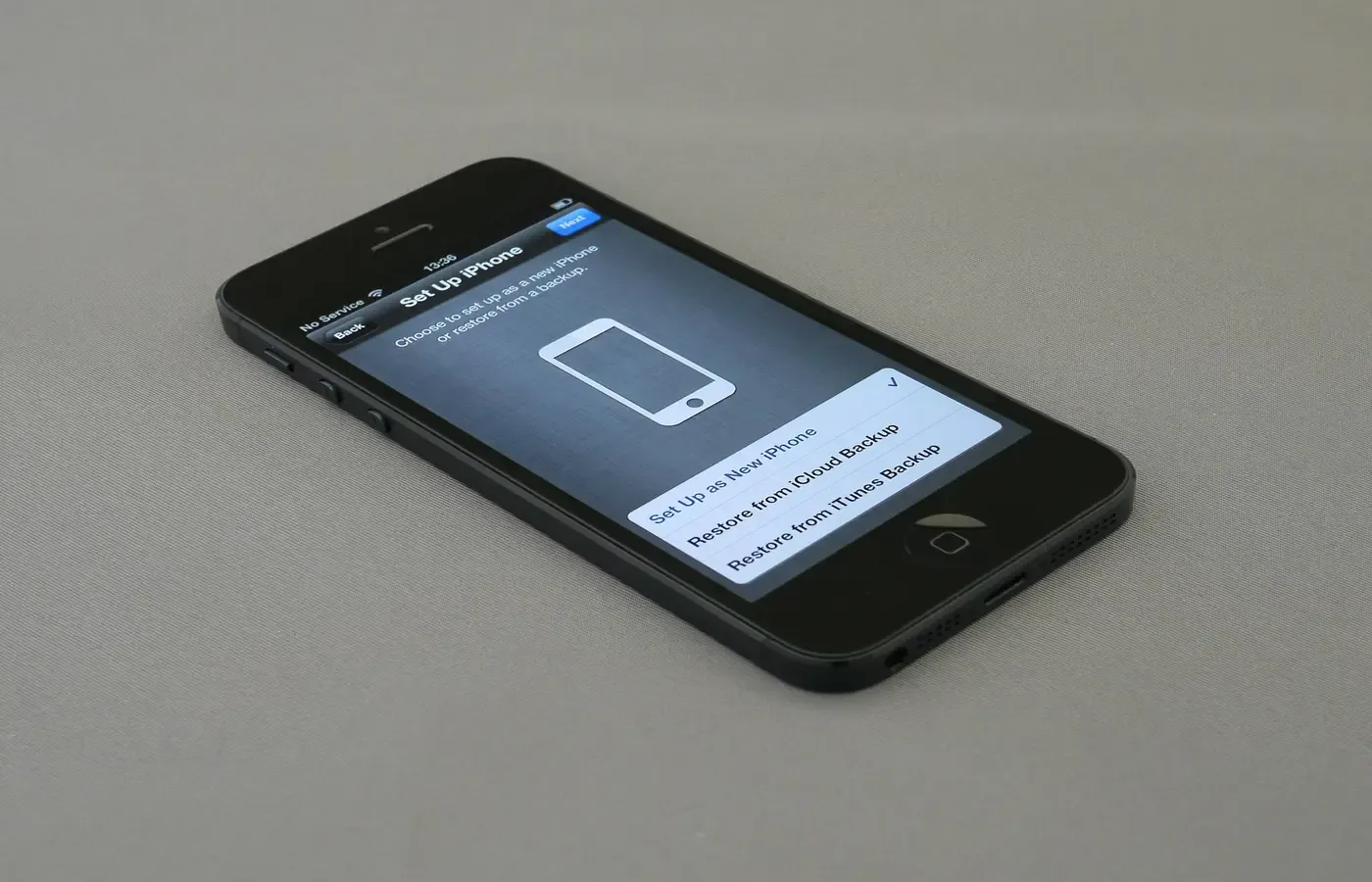
For iPhone and iPad, Apple’s instructions direct owners to erase the device. If the device uses eSIM, Apple says to choose the option to erase both the device and the eSIM profile when prompted. That prompt deserves attention: an eSIM profile is part of the handoff decision, not an incidental detail to skip because the phone is being reset anyway.
If you are keeping the mobile service or moving it to another device, make sure your broader service arrangements are in order before confirming an option that removes the profile from the departing phone. This is not a substitute for checking with your carrier where necessary; the available source does not establish individual carrier procedures.
For an Android device sent to Apple, Apple’s checklist says to erase the device and remove SIM cards, memory cards, cases and screen protectors. The physical check is valuable for any handoff where those items apply. A SIM card is easy to leave behind, and a memory card may hold information you did not intend to surrender. A case and screen protector may have little resale value, but they can obscure condition checks or simply be something you want to keep.
Avoid making unsupported assumptions about how a reset works beneath the surface. This guide does not establish whether a particular phone uses a given encryption method, whether every deleted item is unrecoverable in every circumstance, or whether a separate overwrite tool is necessary. The useful action is simpler: use the official erase procedure for your specific device after your backup and account checks are complete.
Verify the reset before the phone changes hands
The final check is modest but worthwhile: turn the phone on after erasure and look at what remains.
You are checking for an ordinary handoff state, not conducting a technical security audit. The device should no longer open into your familiar apps, messages, photos or usual day-to-day session. If it does, do not pass it on. Return to the official preparation instructions for that device and address the unfinished step.
For iPhone and iPad owners, this check follows the Apple sequence of backup, sign-out-related prompts and erasure. For Android phones being sent to Apple, it follows the company’s instruction to sign out, erase the device and remove the listed physical items.
Do not overstate what this visual check proves. Reaching an initial setup screen is a sensible practical sign that the phone has been erased, but it does not by itself conclusively establish every possible account, carrier, financing or trade-in condition. A receiving programme’s inspection and requirements still control whether it accepts the device.
Before packing or handing it over, do one last physical sweep:
- Remove any physical SIM card.
- Remove any memory card, where present.
- Take off the case and screen protector if the receiving programme asks for a bare device, or if you intend to keep them.
- Check that you have not left personal accessories with the phone.
- Read the buyer’s or trade-in provider’s current instructions before shipping or surrendering it.
The last point matters because trade-in terms can vary by provider, country, model, date and assessed condition. Apple’s own page is useful for Apple’s preparation steps; it is not evidence that every resale company or carrier uses identical rules.
Decide whether the offer is worth the exit
A phone does not have to leave your possession simply because a trade-in offer exists. If the quoted value is disappointing, the condition assessment seems likely to be contentious, or you would be left without a useful backup device, keeping it may be the better outcome.
That is not a failure to upgrade efficiently. A working older phone can remain useful as a spare, a device for a family member, or simply a way to postpone another purchase. The decision depends on your needs, the offer, the phone’s condition and the value you place on having a fallback.
Use this as a final decision card:
| If this is true | Sensible next action |
|---|---|
| Your essential data is available elsewhere and the official account and erase steps are complete | Proceed with the sale, gift or trade-in after checking the receiver’s terms. |
| You cannot complete an account step or are unsure whether the device is properly prepared | Pause the handoff and use official support for the relevant device. |
| Your data is not reliably available on a replacement device or backup | Do not erase yet. Finish your own transition first. |
| The offer does not justify losing a useful working phone | Keep it, reconsider later, or explore another exit route. |
The good handoff is not the fastest one. It is the one in which you retain what is yours, remove what should no longer follow the device, and send on a phone that is ready for its next owner under the receiving programme’s actual rules.
Questions worth settling before trade-in
Does erasing an iPhone remove Activation Lock?
According to Apple’s guidance, erasing an iPhone or iPad turns off Find My and Activation Lock. Apple also notes that you may need to enter your Apple Account password if Find My was enabled. Follow the current official prompts rather than assuming that deleting visible content alone has completed the process.
Should I erase my eSIM when I sell or trade in my phone?
For an iPhone or iPad that uses eSIM, Apple says to select the option to erase the device and eSIM profile when prompted during erasure. Before doing so, make sure you have dealt with any service or number-transfer arrangements that matter to you.
Why do I need to sign out before trading in an Android phone?
Apple says that people sending an Android device to Apple for trade-in should sign out of their account on the device, and that failing to do so affects trade-in eligibility. For the exact process on a particular Android phone, consult that device’s manufacturer.
What should I remove from a phone before sending it for trade-in?
Apple’s Android trade-in checklist says to remove SIM cards, memory cards, cases and screen protectors. Also inspect the phone for any accessories or personal items you intend to keep, and follow the receiving programme’s current packing instructions.
Sources & methodology
This guide is based on Apple’s official support article, “What to do before you sell, give away, or trade in your iPhone or iPad”. It was used for Apple’s iPhone and iPad preparation steps and for Apple’s stated checklist for Android devices sent to Apple as trade-ins.
The available research did not include official Google, Samsung or other Android manufacturer documentation. For that reason, the article does not claim a universal Android reset, account-removal or device-lock procedure. It also does not make claims about data recoverability, encryption, carrier obligations, financing balances or acceptance by trade-in programmes other than the limited Apple guidance cited above.