A phone that needs charging before lunch can make replacement seem inevitable. But a depleted battery is not, by itself, a verdict on the rest of the handset. If the screen is sound, the phone still handles the apps and storage you need, and it has meaningful software support ahead of it, replacing the battery can be the most proportionate repair available.
The opposite can also be true. A fresh battery cannot cure a cracked display, inadequate storage, fading camera hardware, unreliable charging port, network incompatibility or a phone nearing the end of security updates. The useful question is not simply whether battery health has fallen. It is whether the battery is the main thing preventing a still-useful phone from being useful.
This is necessarily a model- and market-specific decision. Repair prices, service options and software-support commitments vary by manufacturer, country and provider. Before authorising a repair, get a written estimate for your exact phone and check its current support status with the manufacturer.
Start with the fault, not the battery percentage
Battery capacity declines with age and use. That is ordinary wear, not necessarily evidence that a phone has failed prematurely. Which? notes that capacity naturally deteriorates, and that a lower battery-integrity figure means less capacity than when the battery was new.
That figure is a useful clue, but it should begin the diagnosis rather than end it.
Ask what has actually changed in daily use:
- Does the phone run down much faster than it once did under the same pattern of use?
- Does it shut down unexpectedly, particularly under load or in cold conditions?
- Does it become usable again after a charge but lose capacity rapidly?
- Is the inconvenience mainly runtime, or are there other problems too?
- Has a recent software update, poorly behaved app, weak mobile signal or changed routine increased power use?
If the answer is principally runtime, a battery service deserves serious consideration. Consumer Reports makes the practical case: where a phone is otherwise in good shape, including an intact screen, replacing the battery can renew its day-to-day usefulness rather than sending the owner straight to a new device.
But a phone that is slow because storage is nearly full, unreliable because its charging port is damaged, or frustrating because its display has deteriorated may need a broader assessment. Replacing the battery in that situation can still be reasonable, but it is no longer an isolated, low-risk repair decision.
What battery health can tell you — and what it cannot
On an iPhone, Apple places its battery reading in Settings > Battery > Battery Health & Charging. It expresses the battery’s current maximum capacity relative to when it was new. This is a useful estimate of how much charge the battery can hold, not a complete condition report for the phone.
On Samsung phones, Consumer Reports describes a route through Settings > Battery and Device Care > Diagnostics > Phone Diagnostics > Battery Status, where diagnostics can show present capacity and a battery-status assessment. Android does not offer one universal route: battery-health information and diagnostic tools vary by maker and software version, as Which? also cautions.
A capacity percentage is most helpful when it matches experience. A lower figure and a sharply shortened day together create a stronger repair case than either one alone. Conversely, a percentage that looks acceptable does not rule out excessive drain from an app, poor reception, a software issue or another fault.
The often repeated 80% figure should be treated as a prompt to investigate, not a universal command to replace. Your threshold may be higher if your workday depends on navigation, authentication apps or a camera; it may be lower if a charger is always nearby and the phone otherwise suits you. Different manufacturers also present battery diagnostics differently, so the number is not a clean cross-brand ranking.
More importantly, battery health does not measure:
- whether the phone has enough storage for your photos and apps;
- whether its display, cameras, buttons and charging port remain dependable;
- whether your mobile network and accessories still work as required;
- whether essential apps remain compatible; or
- how much operating-system and security support remains.
A replacement battery can improve runtime and address battery-related behaviour. It cannot make an old phone new in every respect.
The repair case is strongest when the rest of the phone still works for you
A battery replacement is usually worth investigating when three things are true.
First, the phone still does the jobs you bought it for. It runs the apps you depend on, takes acceptable photos, connects reliably and has enough storage. This is deliberately personal: a handset that is perfectly adequate for calls, messaging, maps and banking may no longer suit someone who needs large local media files, demanding games or a particular camera system.
Second, there is no obvious queue of expensive adjacent repairs. A cracked screen does not automatically rule out a battery replacement, but it changes the calculation. So does a loose charging port, water damage, repeated overheating or unreliable face or fingerprint authentication. One repair can be maintenance; several may be an indication that the phone needs an inspection and a fuller estimate before money is committed.
Third, the phone has enough future life to make the repair meaningful. This is where software support matters. Check the manufacturer’s current policy for the exact model, region and software version before proceeding. A battery repair may be hard to justify if the phone is already out of security support, or likely to reach that point soon, particularly if it carries financial, work or personal data.
There is no universal number of months that makes a repair sensible. The relevant horizon depends on the service quote, your tolerance for risk and whether a supported alternative would require you to spend more, migrate data and potentially replace accessories. But the question should be explicit: will this repair buy enough useful, supported time?
Price the repair as an ownership decision, not a single bill
Do not compare a battery quote only with the price of a brand-new flagship phone. That comparison can make almost any repair look cheap. Instead compare realistic routes available to you:
| Route | What to establish before deciding |
|---|---|
| Replace the battery | Final quoted service fee, taxes, shipping, turnaround time and warranty on the work |
| Keep using the phone | Whether charging adjustments genuinely solve the inconvenience and whether reliability is declining |
| Repair multiple faults | Total estimate, not the battery price alone, and whether other parts are likely to need attention soon |
| Buy a used replacement | Remaining support, battery condition, seller protections, compatibility and return terms |
| Buy a new phone | Total ownership cost, not only the headline price, including accessories or service-plan changes |
For iPhones, Apple’s battery service page says that out-of-warranty estimates may be subject to tax, shipping can add a charge, and an inspection determines the final service fee. Apple Authorised Service Providers may set their own fees and provide their own estimates. The practical consequence is straightforward: treat an online figure as a starting point, not the amount you have definitely agreed to pay.
The same discipline applies to any repairer. Ask whether the estimate includes diagnosis, labour, tax, shipping and return delivery; whether it changes if other damage is found; how long the repair is expected to take; and what warranty applies to the part and service. A clear answer is part of what makes a repair option viable.
Avoid a simplistic rule such as “repair if it costs less than half of replacement.” It ignores the condition of the old phone, the usefulness of a replacement, support status and whether the proposed repair solves the actual problem. A modest battery bill can be poor value if the handset has several looming limitations. A larger bill can be rational if it keeps a device that fully meets your needs in service for a meaningful period.
Repair availability and terms can change the answer
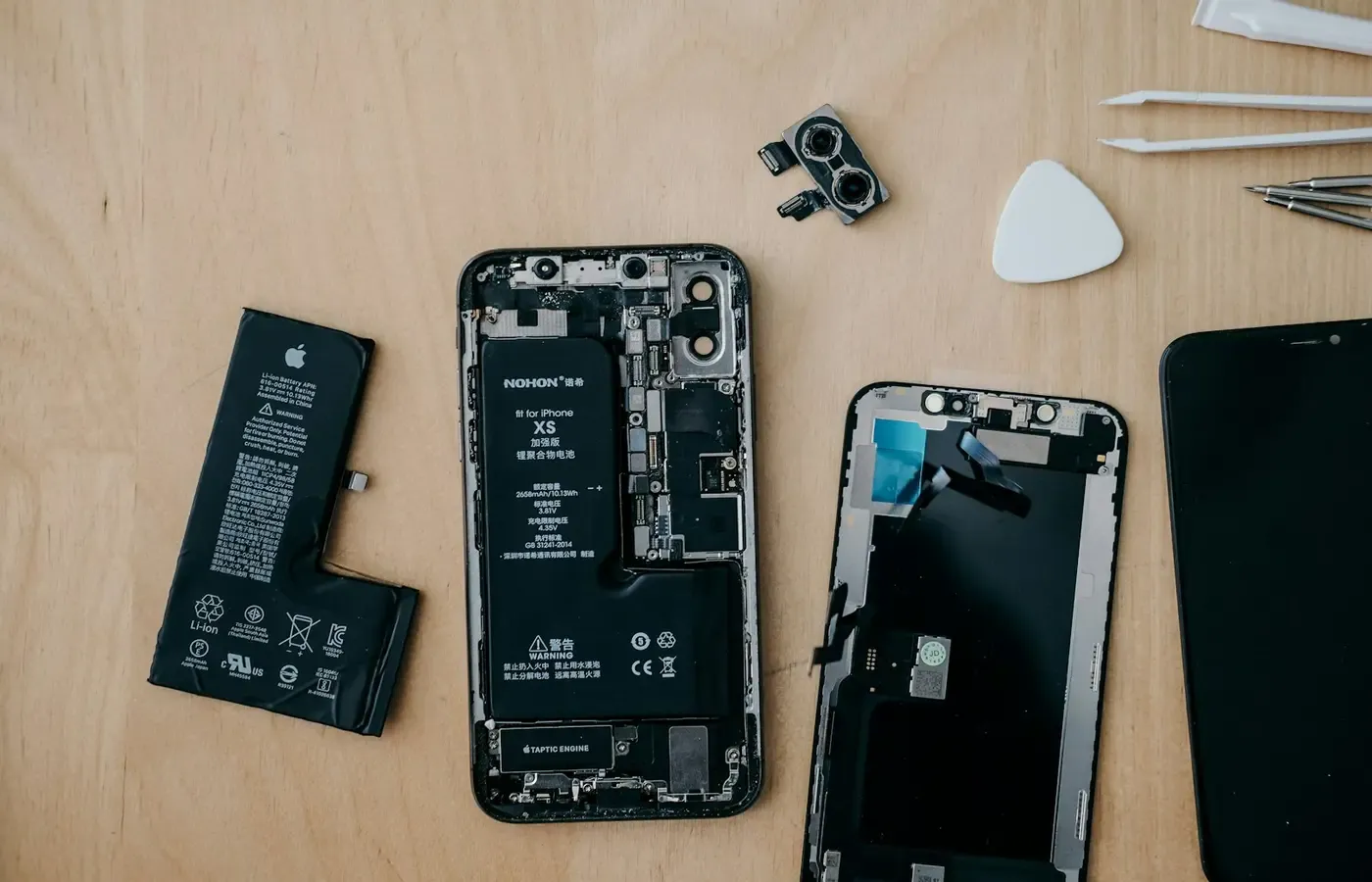
Battery replacement is not just a question of whether a component exists. It also concerns who can carry out the work, how the phone will be inspected and what happens if the diagnosis changes.
Apple offers routes for arranging iPhone battery service and says a device inspection is required to establish the final fee. Its page also distinguishes Apple’s own service from Apple Authorised Service Providers, which can set their own prices. That does not tell you which route is best in every case, but it underlines the value of comparing the practical terms: distance, appointment availability, mail-in time, estimate process and service warranty.
For other brands, use the manufacturer’s official repair information for your model where possible, then obtain a provider-specific estimate. If an independent repairer is your preferred route, ask direct questions rather than relying on vague assurances: what part will be fitted, what functions will be checked afterwards, and what recourse is available if a problem emerges?
Do not infer warranty or service-plan eligibility from forum posts or second-hand accounts. Coverage for normal battery wear, accidental damage and particular repair routes can differ by product and plan. Verify it against the relevant official terms before booking.
Software support is the deadline a fresh battery cannot extend
Battery ageing is visible because a phone runs out of charge in your hand. Software support is less visible, but it can be the more consequential deadline.
An unsupported phone may continue to work for calls, messages and many apps. That does not mean it remains an equally prudent device for passwords, payments, work accounts or sensitive personal information. A new battery cannot add future security fixes or guarantee app compatibility.
Before authorising service, look up your exact device on the manufacturer’s current support pages and establish:
- whether it is still receiving security updates;
- whether the manufacturer has stated an end date or support period;
- whether your phone is on the most recent supported software; and
- whether the apps you rely on still function on that version.
This article cannot establish those dates for a particular model because support commitments are manufacturer-, model-, region- and version-specific. That uncertainty is a reason to check, not a reason to assume the phone is either safe for years or immediately obsolete.
If support is ending soon, consider whether a lower-cost used or refurbished supported phone would better match your needs. That route has its own checks: confirm the exact model, storage capacity, network compatibility, return policy and battery condition. “Used” is not automatically good value, and “new” is not automatically necessary.
A short decision card: replace, wait, or move on
Replace the battery when: poor runtime is the main problem; the screen and other key hardware are sound; the phone still meets your needs; support remains meaningful; and you can obtain a reputable, comprehensible estimate.
Seek a diagnosis or quote first when: battery readings and real-world behaviour do not match; the phone drains unusually fast after a recent change; it overheats; charging is erratic; or there is another fault that may alter the final bill. Apple’s own service process makes inspection part of establishing a final battery fee, and that is sensible practice more broadly.
Keep the phone for now when: charging once during the day is an acceptable compromise, the battery behaviour is stable and a repair would not materially improve your routine. Reduce the problem rather than buying a solution: carry a charger, review unusually power-hungry apps or adjust your charging habits if those measures suit you.
Move on when: several costly faults are present, storage or compatibility is already a daily constraint, a repairer cannot provide a clear route and estimate, or the phone is at or near the end of its useful security support.
The point is not to make every old phone last indefinitely. It is to distinguish a worn consumable part from a phone whose wider limits have caught up with it. If the battery is the isolated problem, replacement is often the more measured choice. If it is merely the most obvious problem, pause long enough to price the whole ownership decision.
Sources & methodology
This guide relies on published consumer guidance and manufacturer service information, rather than first-hand product testing. Consumer Reports is used for battery-health checking routes and the narrower proposition that an otherwise sound phone may benefit from battery replacement. Which? is used for the general point that battery capacity deteriorates and Android access varies by manufacturer. Apple’s iPhone battery service information is used only for Apple’s stated inspection, estimate, tax, shipping and authorised-provider terms.
No exact repair-price comparisons, support-end dates, warranty-coverage claims or environmental savings calculations are made here because the available evidence does not establish them across particular models and markets. Verify those details for your own device before deciding.